Apresente suas criações com Mockups de materiais impressos
Comece pelo formato impresso e abra a coleção de livros, cartões, cartazes, folhetos ou sinalização. Escolha uma cena que mostre as páginas, painéis ou superfícies que quer apresentar.
Preparando design…
22 mockups
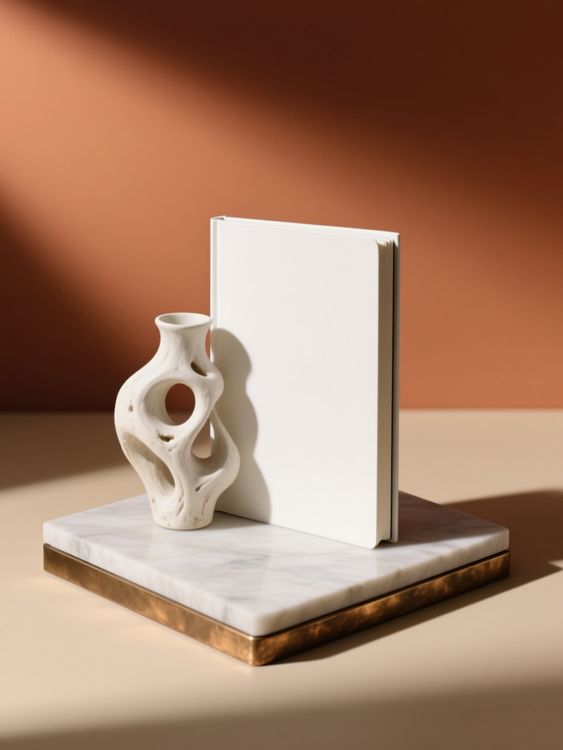
Notebook mockup of book standing beside artistic vase
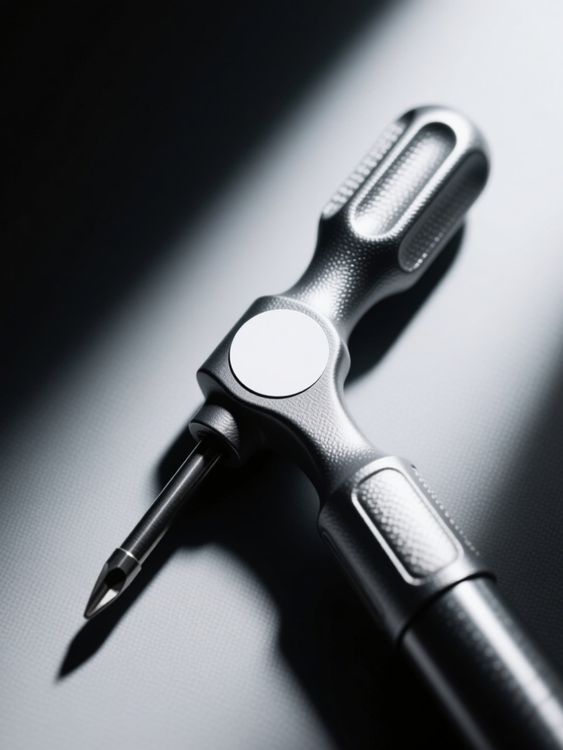
Circle sticker mockup of hand gripping metallic screwdriver handle
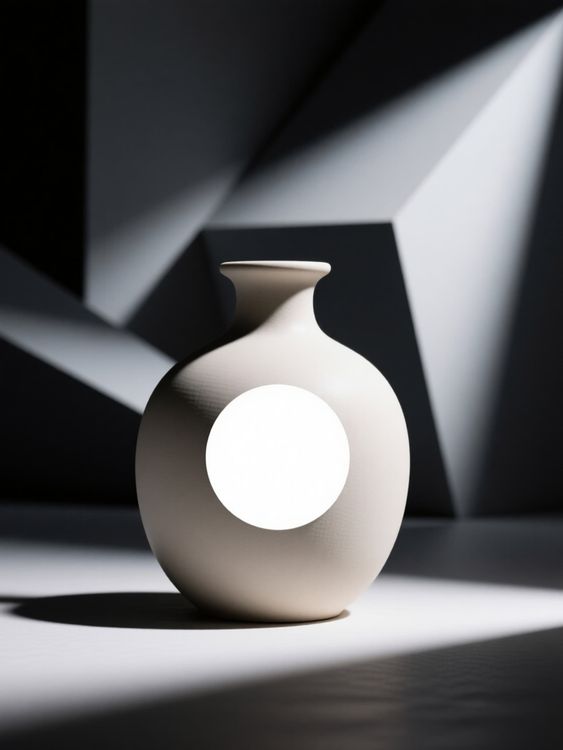
Circle sticker mockup of vase standing under angular lights

Bumper sticker mockup of sports car parked at sunset reflection

Bumper sticker mockup of white car rear reflection light

Wall art mockup of smooth curved frame surrounding blank canvas

Wall art mockup of sunlight casting shadows on wall 4

Bumper sticker mockup of sleek silver car parked indoors stationary

Bumper sticker mockup of sporty red car parked cityscape background

Wall art mockup of elegant sculpture displayed in gallery

Bumper sticker mockup of shiny blue car parked near building

Tags mockup of blank tag laying on golden surface

Bumper sticker mockup of car rear view with light reflections

Bumper sticker mockup of black car parked in modern courtyard

Wall art mockup of curvy metallic frame casting shadows

Bumper sticker mockup of sleek silver car side closeup

Neutral mockup of abstract shaped frame with tag

Bumper sticker mockup of car window showing blank sticker

Bumper sticker mockup of car parked on city street

Bumper sticker mockup of sleek car parked inside concrete garage

Bumper sticker mockup of a car parked on street urban
Revise os detalhes que tornam um mockup utilizável.
Um bom modelo faz mais do que receber uma arte. Ele preserva o formato do produto, reserva um espaço pensado para o design e se adapta ao canal em que o resultado será exibido.
Posicionamento realista da arte
Iluminação, dobras, costuras e perspectiva continuam visíveis ao redor do design.
Espaço para contar a história do produto
Escolha uma imagem principal limpa, um close detalhado ou uma cena do cotidiano de acordo com a função da imagem.
Feito para formatos de e-commerce
Comece com um enquadramento que funcione em anúncios de produtos, campanhas, redes sociais e vitrines de lojas.
Veja seu design na prévia e depois escolha um modelo
- 01
Explorar ou adicionar seu design
Explore os modelos ou envie seu design acima para comparar as prévias nos cartões compatíveis.
- 02
Abrir um modelo para ajustá-lo
Abra o modelo escolhido para ver as opções de edição. Os modelos compatíveis permitem posicionar seu design e usar os controles de cor disponíveis.
- 03
Baixe ou continue criando
Baixe a imagem final ou abra um modelo editável no editor online Mockuplabs para continuar criando na tela infinita.
1.317 avaliações843 comentários


Imagens de produto, com mais facilidade
Seja para lançar um produto, expandir uma marca ou criar conteúdo em escala, o Mockuplabs ajuda você a dar vida a cada produto mais rápido.

Callum Hayes
The Mockuplabs templates look polished without taking attention away from my design. The lighting and product details make the finished mockup feel like something I can actually use in a presentation.
Bianca Lopez
Seeing my design across a batch of templates in Mockuplabs makes the choice much easier. A few options I liked in the library didn't suit the artwork, so the previews are more useful to me than the thumbnails.

drewandco
For a basic mockup, the simple Mockuplabs editor is a good fit. I can get the design looking right without feeling like I need to learn a whole design app first.

Aisha Bennett
The cleaner Mockuplabs scenes are my favourites. The product is well presented, and the background doesn't compete with the artwork I'm trying to show.

Mateo Garcia
The simple editor in Mockuplabs covers most of my mockups. When a client needs a fuller layout around the product, having the main editor canvas available makes the template feel like a useful starting point.
sophie.makes
I usually need a few mockup options for a client, not just one image. The batch template previews in Mockuplabs let me compare the same design in different settings. It's easier to pick a set that works together.
Jordan Brooks
The artwork sits naturally on the product instead of looking like a flat overlay. That's the part that makes these templates useful for showing a design to someone else.

Eva Novak
Good-looking templates, and the little editor is easy to get along with.

Theo Baker
I like the range of product categories in Mockuplabs. I can find different ways to present my designs without every mockup ending up on the same kind of product.
Mina Cho
The templates I keep coming back to have clear product views and backgrounds that leave the design room to stand out. A mockup can look impressive on its own and still be wrong for the artwork.
Ruby Ellis
I don't need all the editing tools for every preview, so the smaller editor suits me. Being able to continue in the main canvas is handy when a quick mockup turns into a bigger piece of work.

alexd_23
Mockuplabs feels approachable when all I want is to put a design on a template. The editor stays focused on that job, which is a big part of why I'd use it again.
Perguntas frequentes sobre mockups de materiais impressos
Precisa de ajuda para preparar a arte ou exportar a imagem final? Visite a Central de ajuda.
Dê seu toque ao próximo mockup de materiais impressos.
Volte aos modelos acima para comparar cenários e escolher um para seu design.