In the current e-commerce landscape, your product image has evolved beyond a mere creative asset—it is now a piece of Product Evidence. While platforms like Amazon allow secondary images to exist within a controlled listing, Google Shopping images are indexed and scrutinized by a global comparison engine that prioritizes visual integrity.
In 2026, Google’s Merchant Center pivoted. It no longer just scans for "image quality"; it audits for authenticity. If an asset feels generic or "too AI," you don't just lose the click—you risk a full account suspension for Misrepresentation.
New Product Set Feature
Does this level of visual precision match your Amazon scaling strategy?
Table of content
- Why Precision Beats "Vibes"
- Winning the Visual Auction
- Precision Over Generation
- Google Shopping Ads image rules (2026)
- Conclusion
1. The "Evidence" Economy: Why Precision Beats "Vibes"
Google treats Shopping Ads with a level of digital "legalism" that differs from Discovery or Display ads. In Discovery, you sell a lifestyle; in Shopping, you are selling a verified physical object.
- The SKU Fidelity Rule: Your primary image must be a faithful representation of the exact physical SKU being sold. Placeholder or generic "stock" images are now strictly forbidden.
- The "Uncanny Valley" Penalty: Google’s vision AI has become highly proficient at detecting "unrealistic texture mapping". If your product’s shadows do not align with its geometry, the system flags the asset as a "placeholder," leading to immediate ad disapproval.
2. The CTR Dividend: Winning the Visual Auction
Google Shopping is a side-by-side comparison engine. When twenty sellers offer the same item, the user's eye gravitates toward the image that feels most tangible.
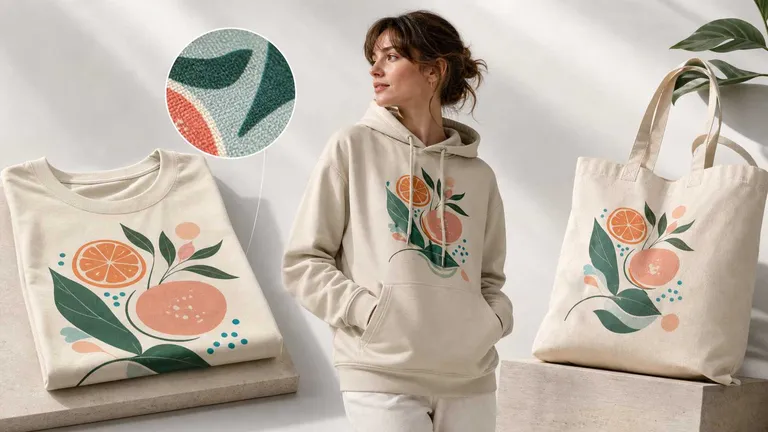
The "Realism" of an image is directly correlated to its Click-Through Rate (CTR). A photo that captures the authentic drape of fabric or the subtle reflection of light on a surface builds an immediate "Trust Bridge" with the user. In a 0.5-second scan, the human brain can distinguish between a "painted" digital asset and a "captured" physical product.
3. The "Master Image" Workflow: Precision Over Generation
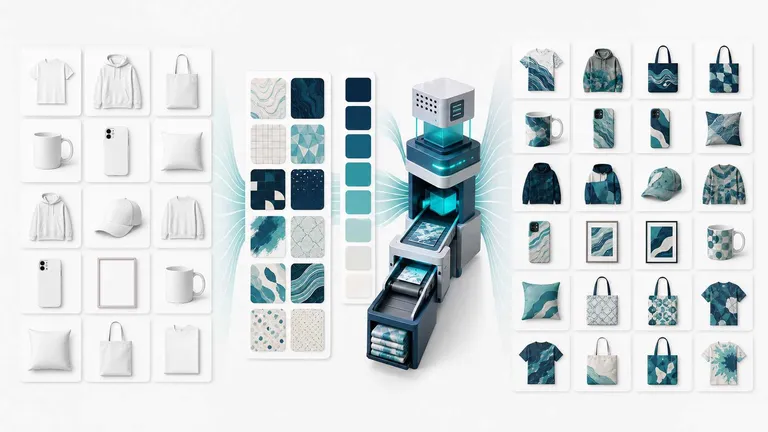
To bridge the gap between "Fast" and "Authentic," elite performance teams are moving away from pure text-to-image generation. The 2026 benchmark for professional e-commerce is the "Any Image Mockup" engine.
Instead of hallucinating a product from a prompt, this workflow starts with Ground Truth: a real-world scene or a high-quality base photo. This ensures the foundation is rooted in physical reality.
Technical Precision in AI-Enhanced Design
A specialized workspace like Mockuplabs.ai allows sellers to maintain this balance between manual control and machine learning realism:
- Manual Canvas Control: Sellers retain full control over the placement, rotation, and scaling of logos or patterns.
- 3D-Texture Awareness: While the human controls the design, the AI handles the "physics". The engine performs 3D-alignment, ensuring designs intuitively perceive fabric folds, shadows, and textures.
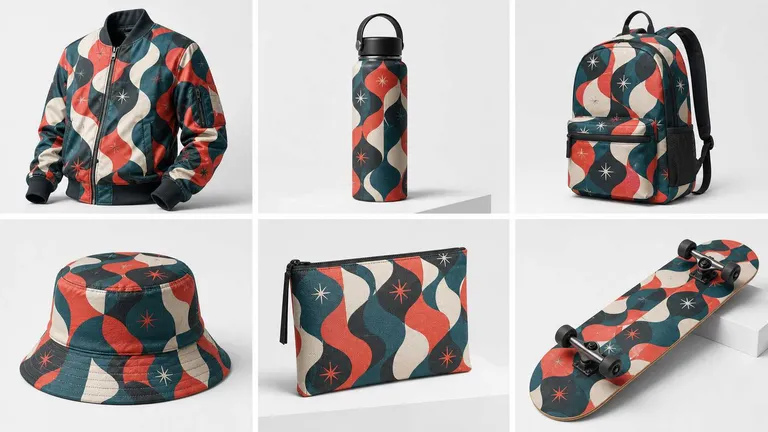
- Standardization at Scale: This process generates "Listing-Ready" assets that are visually consistent across 5 or 50 daily launches, satisfying Google’s evidence-based requirements.
4. Google Shopping Ads image rules (2026)
To maximize visibility in YouTube Shopping and Google’s immersive search results, your assets must meet these specific technical thresholds:
- Resolution: 1500×1500 px or higher, many experts now suggest 2000×2000 for best performance across Shopping and YouTube Shopping.
- The Lifestyle Layer: Utilize the real product image for lifestyle mockups. Use neutral, diverse contexts that highlight scale without cluttered promotional text.
- AI Metadata: Ensure exported assets are correctly tagged with AI Metadata if they involve significant enhancement.
- Minimum size:
- Non‑apparel: at least 100×100 px.
- Apparel: at least 250×250 px.
- Max resolution: 64 megapixels; max file size: 16 MB.
- Formats: JPEG, PNG, WebP, non‑animated GIF, BMP, TIFF.
- Product should fill about 75–90% of the image area, with white or neutral backgrounds strongly recommended for the primary image.
- No watermarks, logos that are not on the product itself, or borders and decorative frames.
💡 Expert Tip: Breaking the Visual "Sea of Sameness"
To stand out among a sea of competitors, you must disrupt the user's scrolling pattern. When products are highly commoditized and features look identical, visual clarity is just the baseline—format innovation is your true competitive lever.
Our ad analysts suggest two high-impact ways to differentiate:
- Static vs. Motion Contrast: Use a mix of static and dynamic (GIF/Video) assets.
- Creative Divergence: In Standard Shopping Ads, test images that break the category’s "standard" look. If everyone uses flat-lays, try high-contrast lighting or unconventional angles to capture immediate attention.
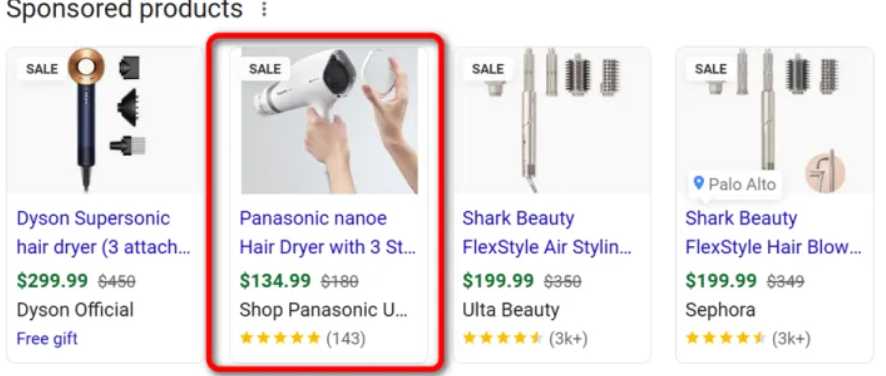
Figure 2 stands out by featuring a hand-held product shot, which instantly creates a tangible sense of the "usage scenario."
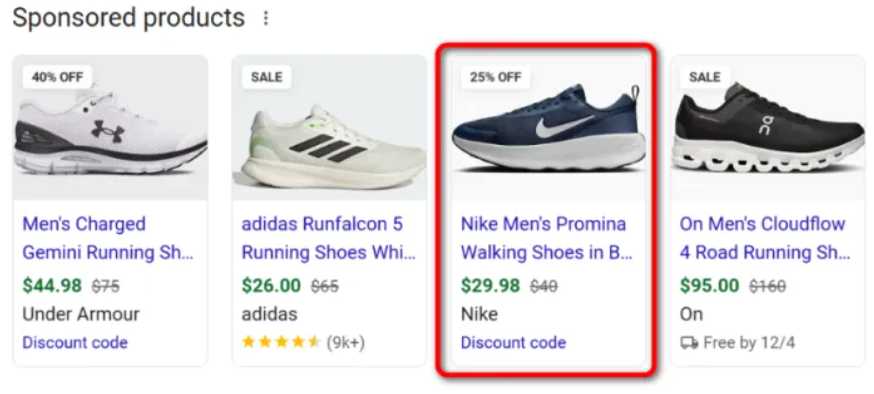
Figure 3 caught my eye simply by facing the opposite direction of every other shoe in the category.
The Pro Strategy: If you're ready to test this, start with Standard Shopping Ads. Beyond final sales, your CTR (Click-Through Rate) will give you the fastest, most objective proof of whether your visual pivot is actually winning the attention war.
5. Conclusion: Protecting Your Merchant Center Equity
Your Google Merchant Center account is a high-value asset. In 2026, protecting that asset requires a visual strategy built on authenticity and precision.
By using Mockuplabs.ai to bridge the gap between "one real photo" and "a thousand compliant ads," you eliminate the risks associated with generic mockups while capturing the CTR dividend of high-fidelity, realistic visuals.
Stop guessing with generic assets. Build your feed on evidence.