Table of Contents
- Why Can Mockups Drive Beverage Sales
- Types of Can Mockups: Choosing the Right Format
- 5 Design Principles for Stunning Soda Can Design
- Step-by-Step: Create a Professional Can Mockup in Minutes
- Common Mistakes That Ruin Can Mockups
- Conclusion
- FAQs
Why Can Mockups Drive Beverage Sales
The global beverage packaging market is projected to hit $182 billion by 2028. To stand out, brands need strong visual storytelling. A professional can mockup serves as a key sales tool before production. Unlike flat labels, mockups demonstrate how designs wrap around curves, reflect light, and look on shelves. They cut sampling costs and speed up retailer approvals. Craft beer brands using photorealistic mockups see 45% faster market launches. A Nielsen study shows 67% of consumers base purchases on packaging design. Mastering soda can mockup and beer can mockup creation boosts revenue by turning browsers into buyers. This guide teaches you to craft compelling visuals that drive sales.
📖 New to Mockup Design? Start Here:
- Foundations: Understand exactly what is a mockup and the core principles of what is a mockup design.
- Brand Building: Discover what is a branding mockup and how it establishes professional credibility.
- Growth Strategy: Learn the advanced visual strategy for average order value (AOV) growth to maximize your store's revenue.
Types of Can Mockups: Choosing the Right Format
Not all cans are created equal. Therefore, selecting the correct can format ensures your design resonates with the target audience and meets industry standards. Each format serves distinct market segments and consumer expectations.
Soda Can Mockup
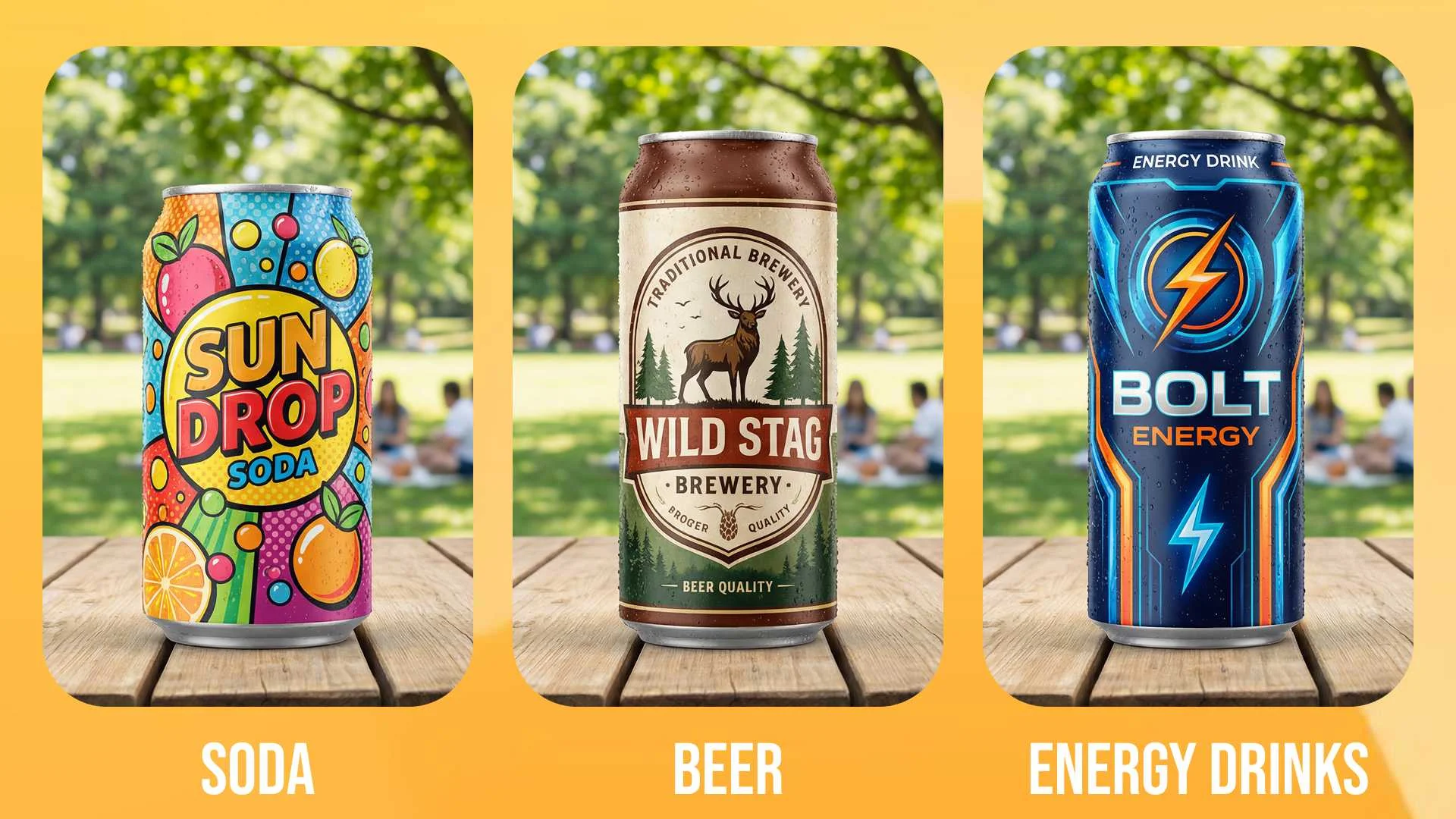
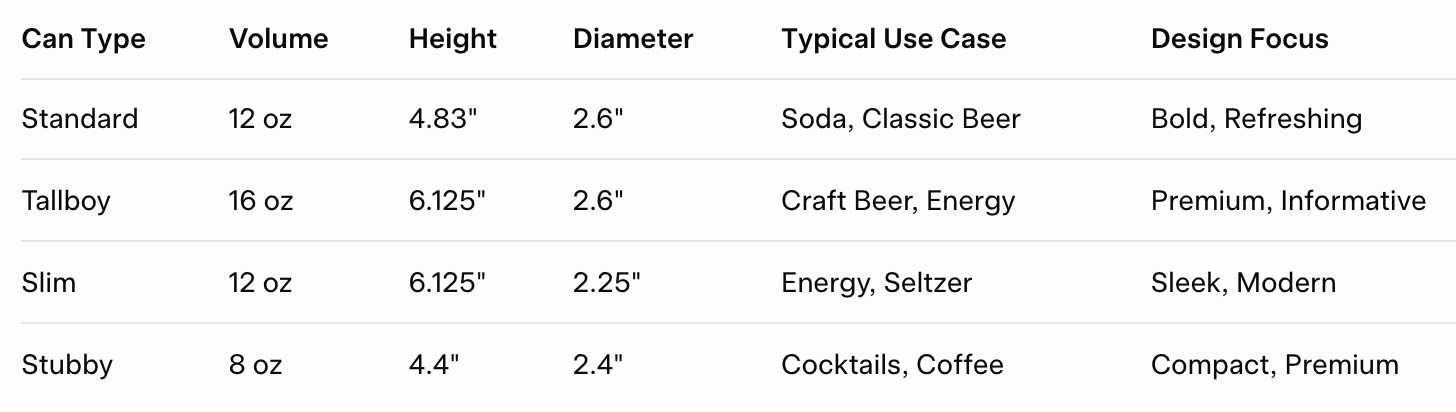
Standard soda cans are 12 oz (355 ml), 4.83 inches tall, and 2.6 inches in diameter. Soda can mockup templates feature vibrant, fun designs with bold fonts. They often include condensation for a refreshing feel. Brands like Coca-Cola use droplet effects to evoke thirst. Mintel's 2024 report notes 73% of Gen Z prefers bold, social-media-ready designs. Focus on high-contrast colors and shiny surfaces in your mockups.
Beer Can Mockup
Beer cans hold 12 oz but lean toward craft styles. Beer can mockup emphasizes heritage, ingredients, and ABV details. Many craft breweries use 16 oz "tallboy" formats for IPAs and stouts. The Brewers Association reports 58% now prefer cans over bottles. Mockups should highlight matte finishes, metallic accents, and quality typography.
Specialty Can Formats
Energy drinks use slim 12 oz cans (6.125 inches tall) for a premium look. Hard seltzers adopt slim formats with pastels. Sparkling water favors matte white for purity. Your online mockup generator needs to handle various sizes. Emerging 8 oz "stubby" cans suit RTD cocktails and require custom templates.
5 Design Principles for Stunning Soda Can Design
Before opening any online mockup generator, master these fundamentals. Your soda can design must work in-the-round, not just as a flat label. Poor design translates to lost sales.
- Prioritize the "Front-Panel" Zone: The 90° arc facing the consumer at shelf level must contain your brand name and hero graphic. This zone captures 80% of first impressions. Consequently, place your logo 2.5 inches from the can's base for optimal eye-level visibility.
- Embrace Contrast & Legibility: Aluminum reflects light. Therefore, use high-contrast colors and sans-serif fonts. Nielsen research shows that legible packaging increases purchase intent by 33%. Moreover, ensure 4:1 color contrast ratio for accessibility compliance.
- Design for the Seam: The 1mm vertical gap where the can's edges meet can disrupt patterns. Consequently, avoid placing critical elements across this line. Instead, align the seam with background elements or use it as a natural design break.
- Simplicity Scales: A cluttered design confuses viewers from three feet away. For instance, Liquid Death's minimalist skull logo outperforms complex craft beer illustrations in recall tests. Furthermore, limit your design to three core elements: brand mark, product name, and one visual hook.
- Include Mandatory Elements: Nutrition facts, barcode, and alcohol content (for beer) must fit naturally. Moreover, leave 15% buffer space for regulatory variations across states. The FDA requires specific font sizes that vary by jurisdiction.
The Psychology of Can Color
Color triggers taste expectations. Specifically, blue suggests refreshment, red implies energy, and green signals health. When you design a can of drink, test your palette against category norms.
Step-by-Step: Create a Professional Can Mockup in Minutes
You don't need Photoshop expertise. Modern online mockup generator platforms automate complex tasks. The following process mirrors professional workflows used by top beverage brands.
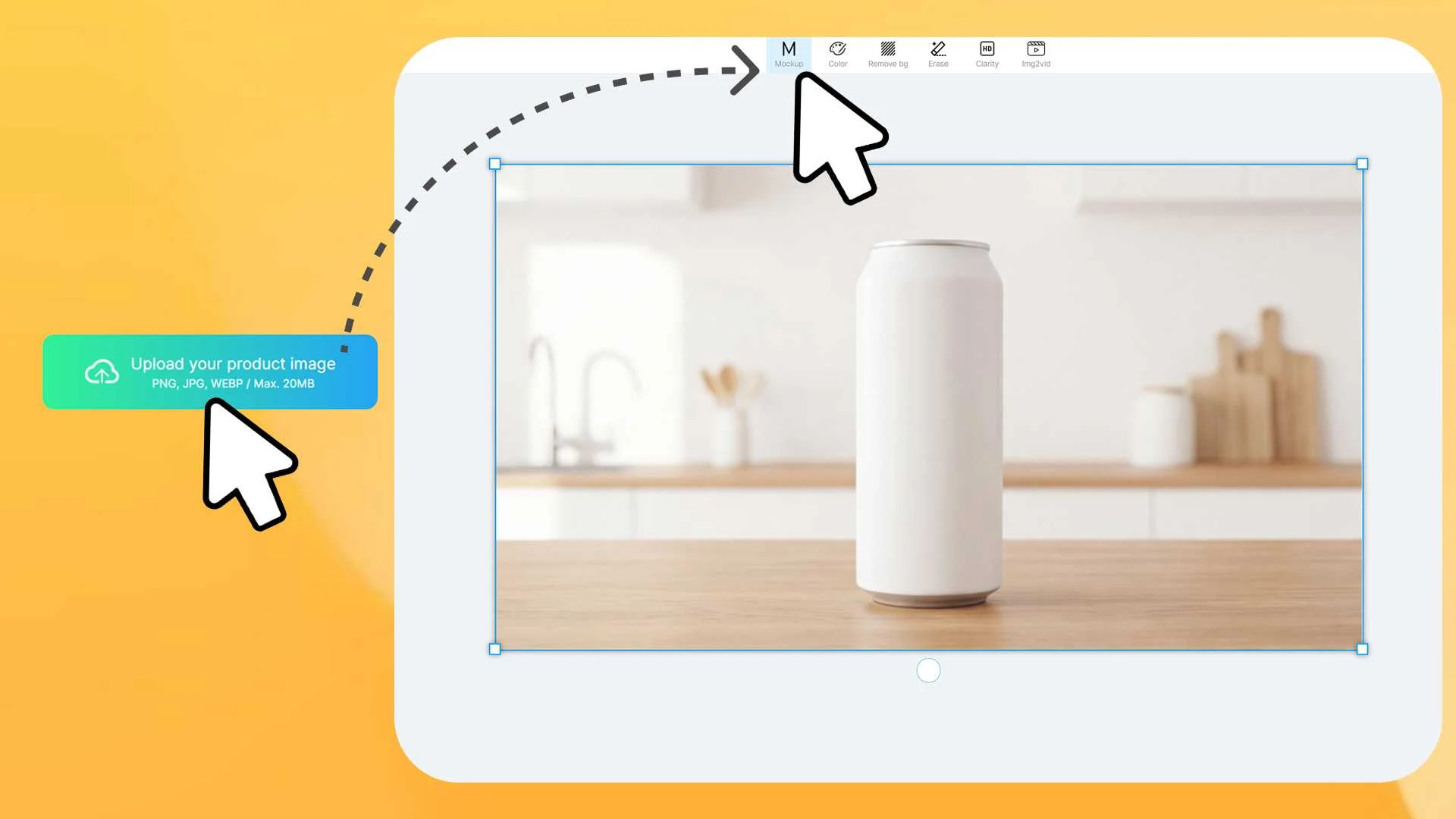
- Prepare Your Assets: Start with a blank, high-quality product image in PNG or JPG. Ensure even lighting and a neutral background. Remove any existing labels or reflections. Mockuplabs.ai allows you to turn any image into an editable mockup with a single click.
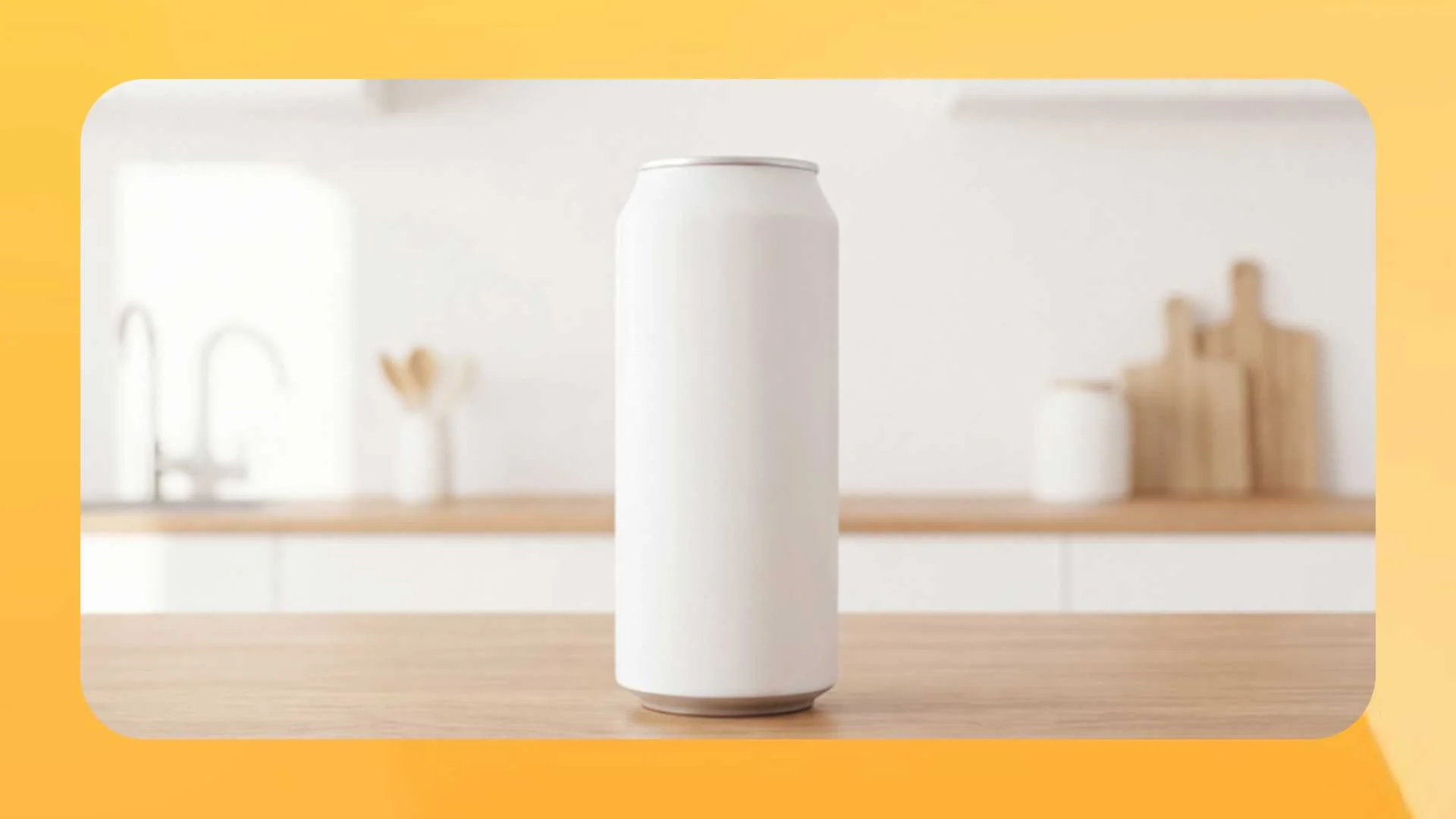
- Upload and Convert: In mockuplabs, click "Upload" and select your image. Then, click the "Mockup" button. This crucial step transforms your static photo into a smart, editable layer. Consequently, graphics will automatically wrap and adapt to the can's curvature.
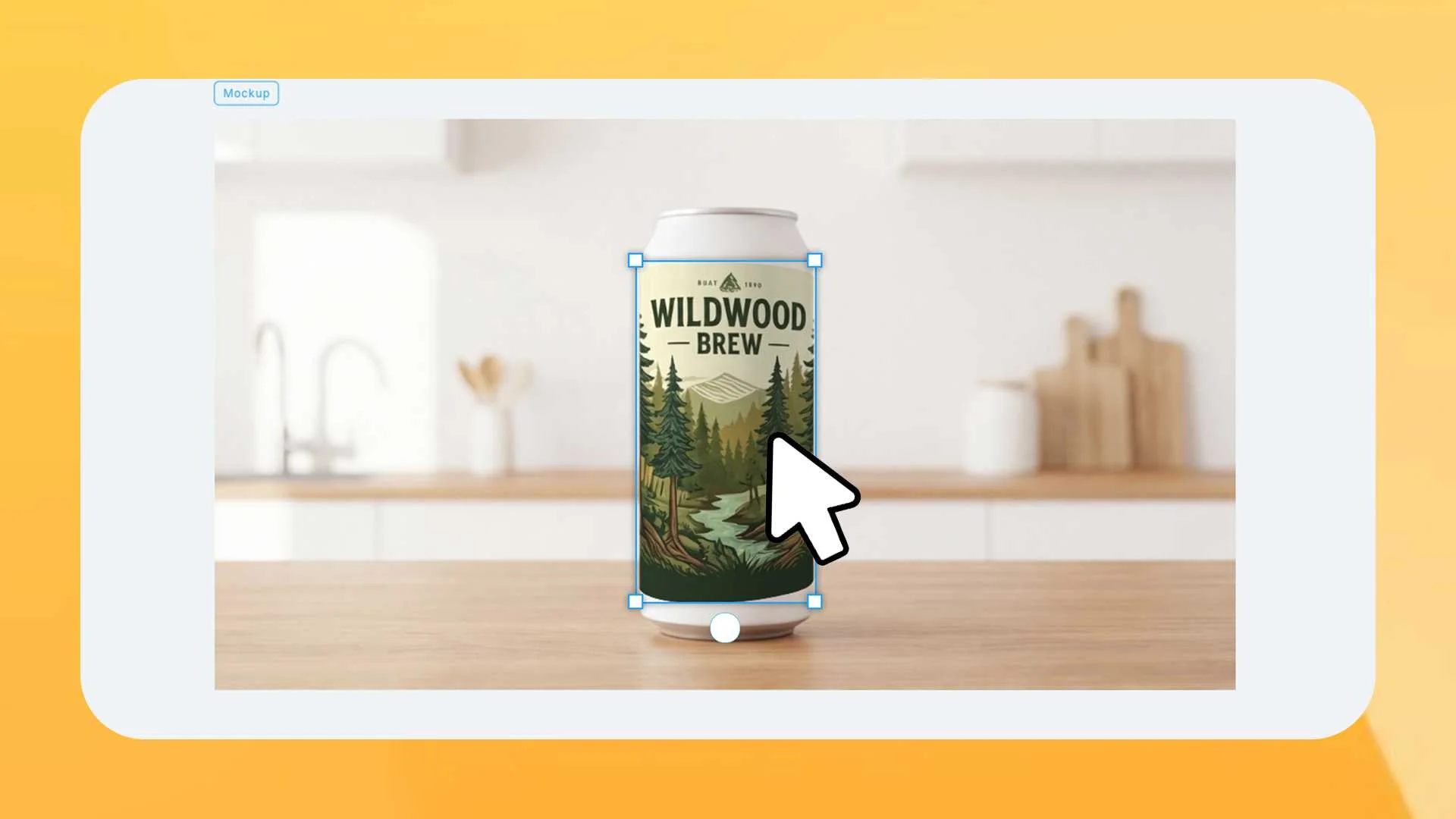
- Apply Your Design: Upload your flattened label artwork (2400x1200px recommended) and drag it onto the can. The system automatically stretches it to fit the cylindrical surface. Moreover, you can adjust size, rotation, and placement for perfect alignment. Use the grid overlay to verify front-panel positioning.
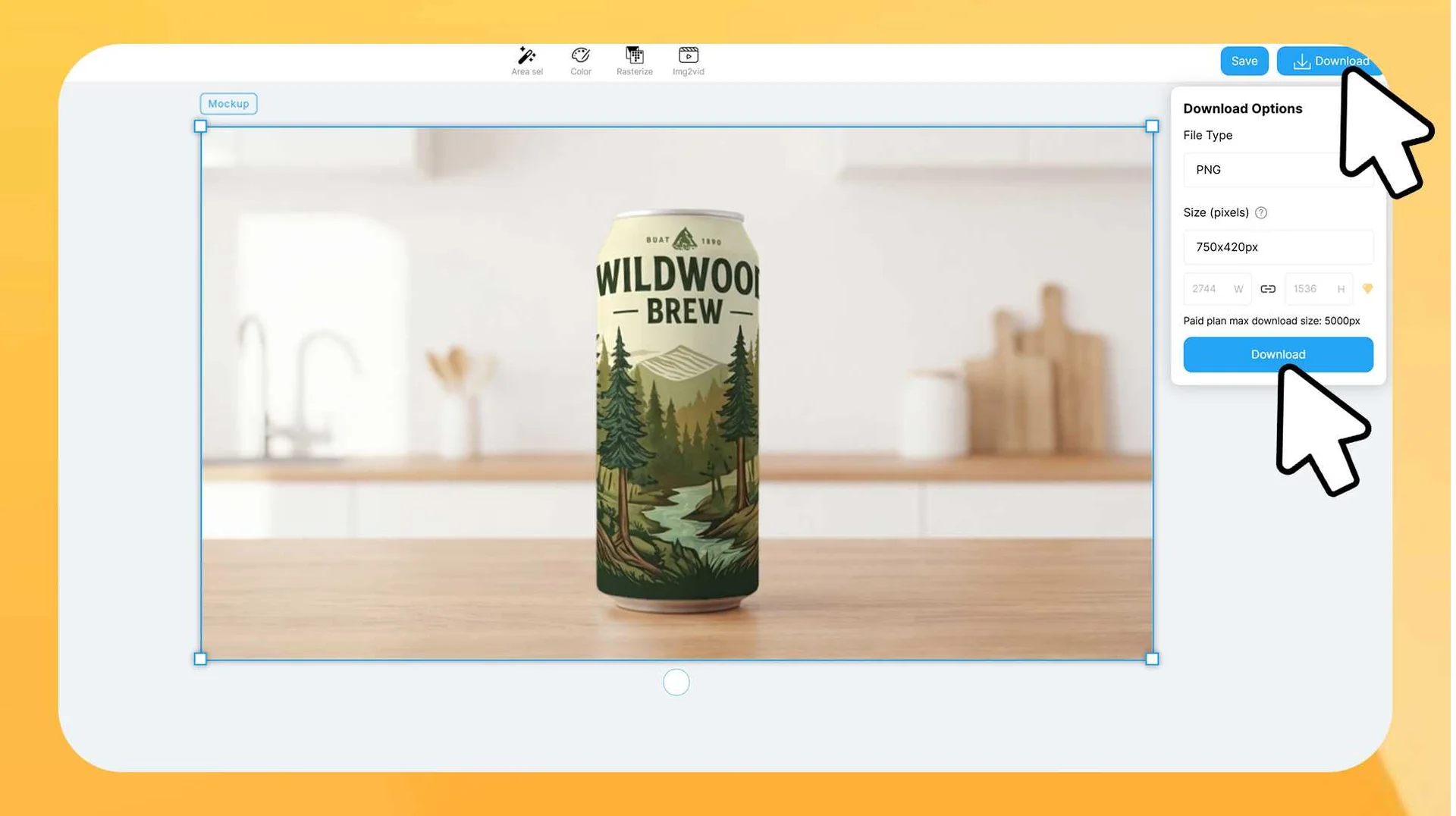
- Export in High Resolution: Click "Download," choose PNG for web or JPG for smaller file sizes. Adjust resolution up to 4K for print presentations. Retailers often require 300 DPI images for shelf planning documents.
Common Mistakes That Ruin Can Mockups
Even great designs fail with these errors. Avoid them to maintain credibility and prevent costly reprints.
1.Ignoring Taper: Cans taper slightly by 2° at the top, so unadjusted designs look distorted. Check that your mockup has a narrower top rim.
2.Overlooking Highlights: Aluminum reflects light, making mockups flat without them. Set highlight layers to 20-30% opacity over your design.
3. Wrong DPI: Use 72 DPI for web, but 300 DPI for print. Export at least 2400px wide to avoid low-res issues with retailers.
4. Forgetting Pull Tab: Don't cover the pull tab—it ruins realism. Keep it clear or at 50% opacity; it's a key focus point.
5.Neglecting Regulatory Space: Squeezing in required elements risks legal issues. Use compliant font sizes to prevent FDA warnings.
6.Inconsistent Lighting: Mismatched lights between can and background confuse viewers. Stick to consistent ambient lighting in mockups.
🚀 Pro Tips for Sellers:
- Platform Optimization: Learn how to apply these high-quality visuals specifically to your shop with our visual guide for Etsy success.
- Technical Excellence: Don't let file formats ruin your quality. Ensure your images are crisp and fast-loading by following our WebP and POD file formats guide.
Create Wrap-Around Can Mockups Instantly
Conclusion
A strong can mockup links ideas to sales. Blend soda can design principles with an online mockup generator for visuals that sell pre-production. Features like color changing and all-over-prints enable fast variants and shelf dominance. The market favors quick, pro results—apply these now to beat rivals and win retailers. Your brand's impression counts.
FAQs
1. What is a Can Mockup?
A can mockup is a digital visualization tool used to preview label designs on 3D packaging before production. While traditional tools limit you to stock templates, Mockuplabs.ai introduces the "Any Image Mockup" concept. This technology allows you to upload your own custom product photography and instantly transform it into an editable mockup.
2. Can I customize the mockup?
- Click the “Upload” button to upload your product image (PNG, JPG).
- Select the image and click the “Mockup” button to convert it.
- Drag and drop your design, logo, or pattern onto the mockup. It will automatically adapt to the product’s curves, folds, and lighting. Adjust the size, rotation, and placement freely for a perfect finish.
- Finally, click the “Download” button, select your desired file format (PNG, JPG, WEBP), and freely adjust the resolution to download high-quality images.
3. Is Mockuplabs can mockup tool free to use?
Absolutely! Mockuplabs provides a free tier granting 50 credits monthly, which reset automatically on your registration anniversary (no rollover for unused ones). For those requiring extra mockup capabilities, premium subscriptions are offered.