
Table of Contents
- The Evolution of E-Commerce Visuals
- Step 1:The Foundation – Creating the Perfect Product Source
- Step 2: The Definitive Etsy Listing Photo Size Guide
- Step 3: From Static to Magic with Animated Mockups
- Step 4: Automating Scale with AI Ad Generators
- Step 5: A/B Testing for Maximum ROI
- Conclusion
- Frequently Asked Questions (FAQs)
The Evolution of E-Commerce Visuals
In the hyper-competitive world of e-commerce, your product image is your sales pitch. Whether you are running a dropshipping empire on Shopify or a handmade boutique on Etsy, the visual quality of your listings dictates your conversion rate. However, simply having a clear photo is no longer enough; you need dynamic, engaging, and platform-optimized visuals to stop the scroll.
This is where ad creative ai technology steps in. By combining high-fidelity mockups with automated ad generation, sellers can now produce weeks' worth of marketing assets in minutes. This guide will walk you through a proven workflow: generating pristine visuals, optimizing them for the correct listing photo size, and transforming them into high-performing ads.
Furthermore, we will explore how new technologies are bridging the gap between static images and video. Specifically, we will look at how tools like Mockuplabs act as the "visual source," feeding high-quality inputs into ad generators to maximize your Return on Ad Spend (ROAS).
Step 1: The Foundation – Creating the Perfect Product Source
Before you can run a successful ad campaign on Facebook or TikTok, you need a high-quality "seed" image. The first step is generating a professional product mockup that places your design in a realistic context.
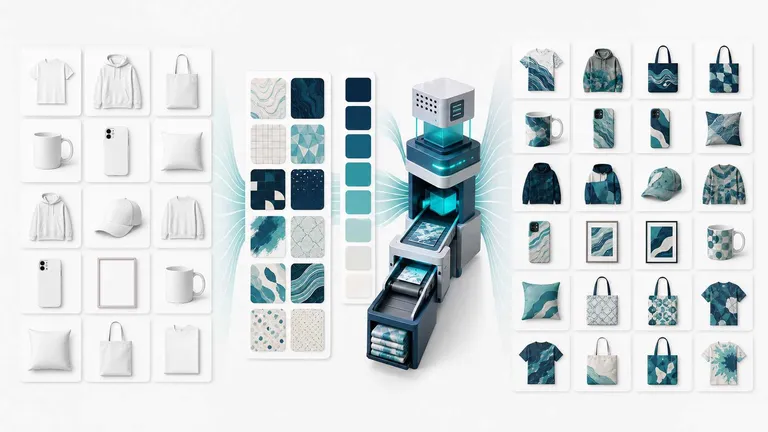
Using a dedicated product mockup generator allows you to visualize your merchandise on real objects without arranging a photoshoot. For example, if you sell software or digital courses, you might use a laptop mockup or mobile mockup to display your user interface. Conversely, POD (Print on Demand) sellers heavily rely on apparel mockups.
Key benefits of AI-driven mockups include:
- Consistency: Keep your brand look uniform across all channels.
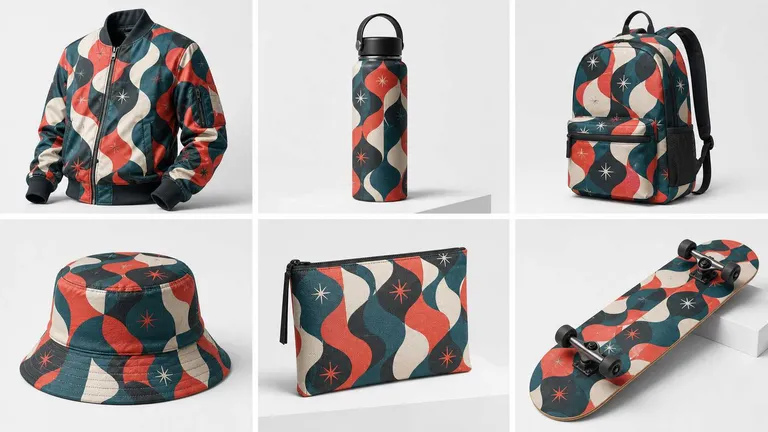
- Speed: Generate hundreds of variations in seconds.
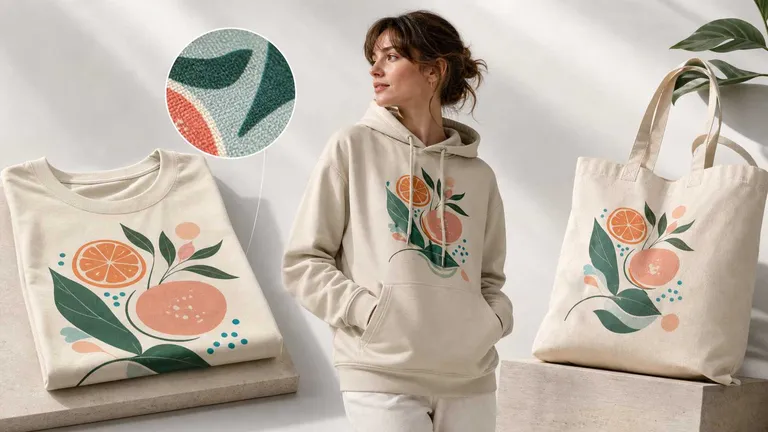
- Realism: Advanced lighting and texture mapping make digital designs look real.
Step 2: The Definitive Etsy Listing Photo Size Guide
Once your mockup is generated, you must format it correctly for your sales channel. If you are selling on Etsy, ignoring the size for etsy photos can result in blurry, cropped, or distorted images that kill sales. According to platform data, listing photos are the most critical factor in a buyer's purchasing decision.
Essential Dimensions and Ratios
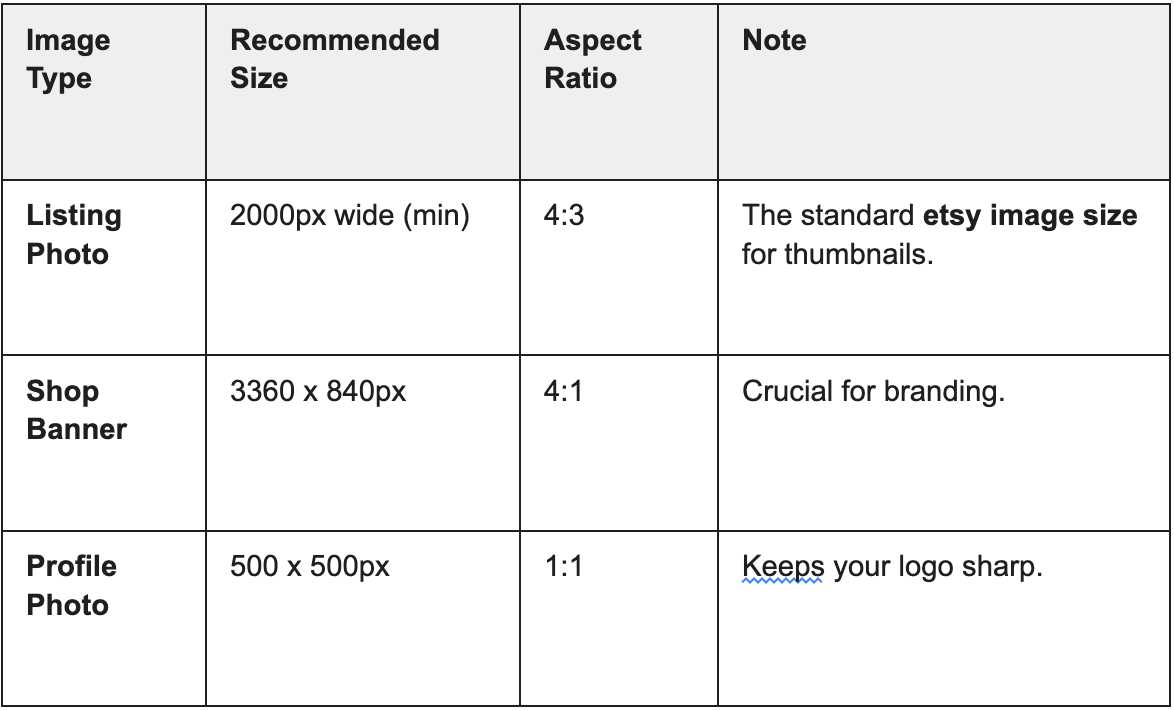
The best size for etsy listing photos is currently 2000px on the shortest side. This ensures that your customers can use the zoom tool to inspect details without losing clarity. While the minimum requirement is lower, aiming for high etsy photo resolution creates a premium perception of your brand.
Here is a quick reference table for etsy image dimensions:
Common Pitfalls to Avoid
When managing the size of listing photos, avoid using square (1:1) images for your primary thumbnail if possible, as Etsy crops these centrally in search results. A 4:3 ratio is safer. Furthermore, ensure your listing size is under 1MB to ensure fast loading times on mobile devices.
For a deeper dive into optimization, many sellers refer to resources like the Printify guide on Etsy sizes, which highlights that accurate sizing prevents awkward cropping. By using Mockuplabs, you can export your website mockup or product scene directly in these high-resolution formats.
Step 3: From Static to Magic with Animated Mockups
Static images are necessary, but video is what converts. In the current "attention economy," a video mockup can stop a user from scrolling past your ad. This is where the image to video technology transforms your marketing strategy.
Modern tools now integrate models like kling ai video generator, Runway, or Wan to animate static mockups. Imagine your static hoodie mockup suddenly moving—the model turns their body, the wind blows the fabric, and the lighting shifts naturally. This is an animated mockup.
How to integrate this into your blog or shop:
- Generate: Create a static mockup using Mockuplabs.
- Animate: Use the Image-to-Video feature to add subtle motion.
- Upload: Etsy allows a 15-second listing video. This is the perfect slot for your animated mockup.
This technique is not just for Etsy. It is also the perfect foundation for product advertisement content on social media. A subtle motion video is often perceived as higher production value than a simple slideshow.
Step 4: Scaling with AI Ad Generators
Now that you have your high-resolution static visuals and your engaging advertisement video, it is time to scale. Tools like AdCreative.ai or Zeely specialize in taking these assets and generating hundreds of ad variations.
The Workflow:
- Input: Upload your product mockup from Mockuplabs into the ad generator.
- Context: The AI analyzes your brand colors and logo.
- Output: The tool generates varied layouts for stories, feeds, and banners.
This solves the bottleneck of creative fatigue. Instead of a designer spending hours on one banner, the AI generates dozens. Consequently, you can test different angles: does the laptop mockup perform better with a "Sale" badge or a "New Arrival" badge?
Step 5: A/B Testing for Maximum ROI
The final piece of the puzzle is testing. You should never assume which product image or which ads creative will win. You must let the data decide.
Execution Strategy:
- On Etsy: A/B test your main thumbnail. Try one strictly adhering to the 4:3 Etsy picture size rule, and another with a lifestyle crop.
- On Social Media: Run your Tiktok ads using the animated mockup versus a static image.
- On Your Website: Use a website mockup to show your digital product in use versus a plain screenshot.
By consistently testing, you refine your "visual source." You might find that a mobile mockup featuring a hand holding the phone converts 20% better than the phone alone. You then feed this insight back into Step 1.
Scale Your Ad Creatives Instantly
Conclusion
In conclusion, mastering the visual side of e-commerce requires a blend of basic knowledge—like knowing the correct Etsy listing photo size—and creative innovation, such as using AI tools. By establishing a workflow that starts with high-quality generation at Mockuplabs, moves through video animation, and scales with ad generators, you position your brand for dominance.
Don't let your products get lost in the noise. Whether you are optimizing Etsy photo resolution or launching a new campaign of Tiktok ads, the quality of your source visual is the single biggest predictor of success. Start generating better mockups today, and watch your click-through rates soar.
Frequently Asked Questions (FAQs)
Q: What is the best size for Etsy listing photos?
The recommended etsy listing photo size is 2000 pixels on the shortest side, with a resolution of 72 PPI. The ideal aspect ratio for the primary thumbnail is 4:3. Uploading images smaller than this may result in pixelation when customers use the zoom feature.
Q: Can I use AI to create a video mockup for my products?
Yes, you can use an animated mockup generator that utilizes technologies like the kling ai video generator or Runway. These tools allow you to take a static product mockup and convert it into a high-quality video, which is perfect for Etsy listing videos or social media ads.
Q: How do I improve the resolution of my Etsy photos?
To ensure high etsy photo resolution, always start with a high-quality source file. Using a professional product mockup generator like Mockuplabs.ai ensures your exports are already optimized for high-definition displays, preventing the blurriness that comes from upscaling low-quality images.
Q: How many mockup variations should I create before feeding to an AI ad generator?
Start with 5–10 variations per product, varying the background, context (lifestyle vs. studio), and color if applicable. This gives your AI generator enough diversity to work with without overwhelming you with options. As you scale, you can increase to 15–20+ variations per product.
Q: Can I use the same mockups for Etsy listings and paid ads?
Mostly yes, with resizing. Generate your primary mockup in large dimensions (3000+ pixels), then crop and resize for platform-specific needs—use the full mockup for Etsy (with proper etsy image dimensions), and square or vertical crops for Instagram/TikTok ads. This way, one high-quality product mockup serves multiple channels.
Q: What's the performance difference between static mockups and animated video mockups?
On TikTok and Instagram Reels, animated mockups drive 3–5x higher engagement and CTR than static product visuals. On Meta, the difference is 2–3x. On Google Shopping, static mockups still perform well because the feed isn't video-focused. Test both and let your platform data guide investment.
Q: How often should I refresh my mockups and ads?
Refresh your top-performing product mockup designs every 2–4 weeks. Test new backgrounds, colors, and contexts continuously. The marketplace evolves; stale creative gets ignored. By automating mockup creation, you can afford to iterate frequently without burnout.