 blog
blogUltimate Guide to Packaging Mockups, Box, Wrapping & Logo
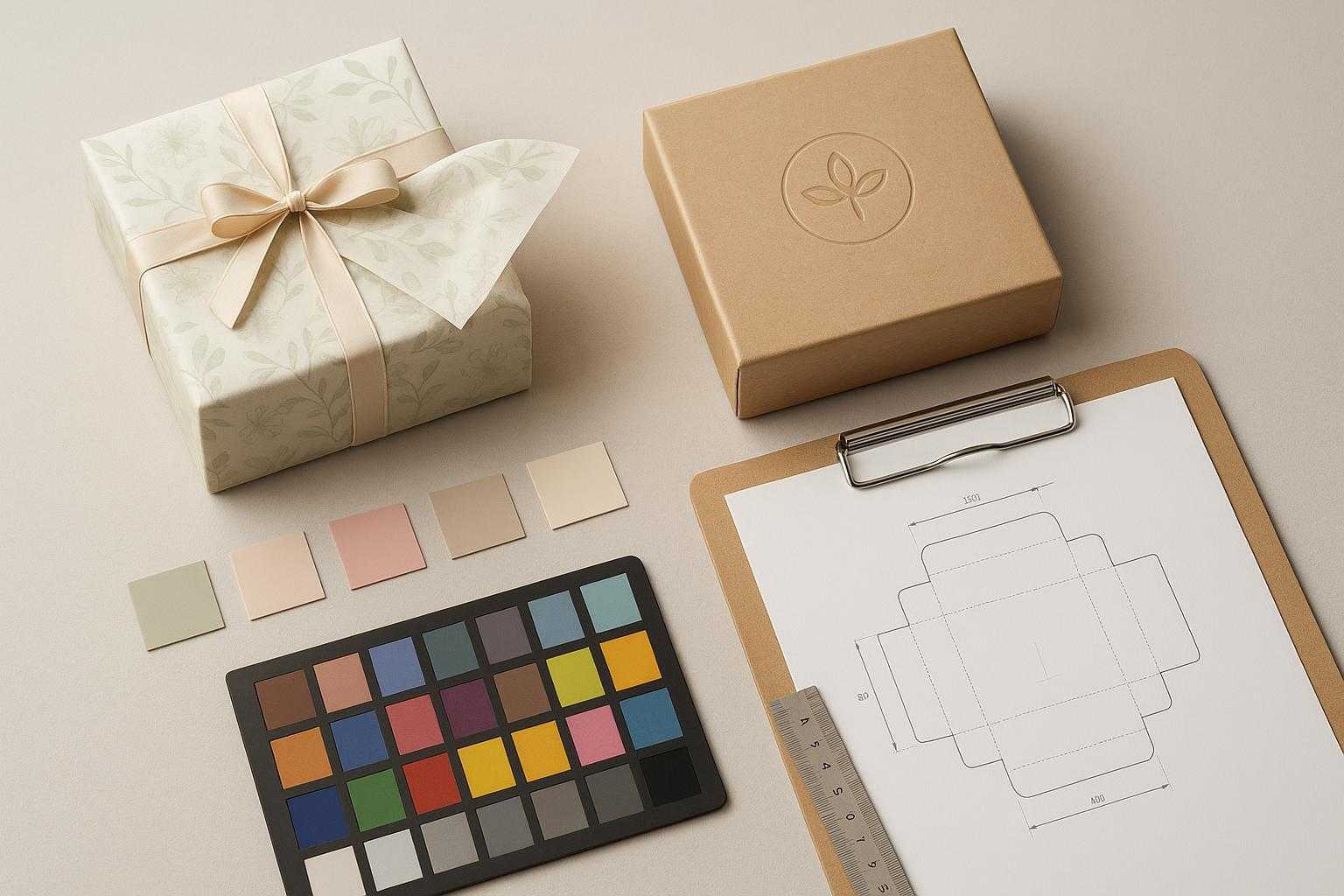
If you run a growing e‑commerce operation, you know how fast product visuals can make or break launches. This practical guide shows Gifts and Floral teams exactly how to plan, create, and scale four essential mockup types—packaging mockups, box mockups, wrapping and tissue paper mockups, and logo mockups—so you can move from concept to compliant listing images and short videos without surprises. What would it change for your team if you could go from concept to compliant assets in a single working day?
What you’ll get: crisp definitions, a reusable production workflow, color and print accuracy guardrails, multi‑SKU scaling tactics, marketplace requirements you can’t ignore, and a step‑by‑step Gifts and Floral walkthrough. Along the way, we’ll point to neutral resources and one tool example where it’s genuinely helpful.
Ready to see it in action?
Instantly visualize your brand across our Box, Wrapping Paper, and Logo mockup builders.
What each mockup is and when to use it
- A packaging mockup is the umbrella visualization of your whole packaging system—box, labels, inner tissue, and any wrap—used to preview branding, materials, and fit before production. It helps you validate your concept against real constraints and buyer expectations. Shopify’s packaging design overview underscores concepting and mockups as a critical stage before press and testing; see the guidance in the 2026 article on product packaging design for context in the Shopify packaging design guide.
- A box mockup goes deeper into structure. It aligns artwork to your dieline—cuts, folds, glue tabs, and safe areas—at real dimensions so you can spot misalignments, seam issues, and text that’s too close to edges. For dieline anatomy and line rules like bleed and safe zones, Box Genie’s documentation is a solid primer; review its box packaging design guidelines.
- A wrapping paper mockup (including tissue and gift wrap) previews seamless patterns and brand elements all over the sheet or around the box. Your goal is to confirm repeat quality, scale, and how ink coverage reads on different papers. Practical all‑over‑print setup tips are covered in Printful’s AOP file preparation.
- A logo mockup renders your mark on real surfaces—box lids, side panels, labels, ribbons—so you can verify legibility, scale, finish choice, and contrast before committing.
A reusable packaging mockup workflow for ecommerce listings and campaigns
A good packaging mockup workflow isn’t about creating final production files. For most ecommerce teams, the real need is simple: fast, clear, low-cost visuals for product listings, launches, seasonal promotions, and SKU updates.
This workflow delivers exactly that. It helps you create ready-to-use packaging visuals with repeatable steps: start with an existing image or template, generate reusable patterns, and run quick quality checks on logos, boxes, and wrapping. The goal is speed, consistency, and lower creative costs.
Any-image mockup workflow for packaging concepts
Start with your own assets: a package photo, box image, your own product image or ai product image. With Mockuplabs.ai, you can mock up any image directly, no longer limited to rigid templates. Focus on visual clarity and placement testing.
Quickly validate:
- Logo placement
- Front panel hierarchy
- Concept clarity for listings and campaigns
A usable mockup only needs clear surfaces, readable branding, and strong communication in both thumbnail and full‑size views.
How to mock up any image in Mockuplabs.ai?
- Upload your base image: Start with your own product photo, or pick from our library of pre-made product mockup templates.
- Turn it into an editable mockup: Click the "Mockup" button in the top toolbar to convert your image into a fully editable, customizable mockup.
- Apply your design to the mockup: Upload your own design, use in-app assets, or generate a new design with AI, then drag and drop it onto the mockup for an automatic, perfect fit.
Seamless pattern generator for wrapping paper, tissue paper, and gift wrap mockups
Mockuplabs’ built-in AI image generator lets you create unique, brand-aligned patterns for wrapping paper, tissue, and packaging directly in your mockup workflow. Supporting text-to-image and image-to-image generation, it integrates with advanced models like Nano Banana Pro, Seedream 4/4.5, and ChatGPT Image to quickly produce custom logos, graphics, and repeatable designs. This helps ecommerce teams and designers iterate faster for consistent, on-brand packaging visuals.
How to Generate a Seamless Pattern with AI?
- Open the Mockuplabs AI Pattern Generator from your workspace toolbar.
- Describe your ideal pattern or upload your own logo, sketch, or reference image.
- Generate seamless, repeatable designs and preview them on your packaging mockup.
- Apply your finished pattern directly to mockups or download it for later use.
Packaging mockup best practices
Before export, run a simple review:
- Logo mockup: readable, strong contrast, consistent scale
- Box mockup: clear front-panel hierarchy, balanced layout, thumbnail readability
- Wrapping paper mockup: clean repeat, appropriate pattern density, visually consistent with the box
If all three look cohesive as a set, your packaging mockups are ready to publish, present, or test in marketing.
Scale across SKUs and colorways
Speed and consistency are what separate a one‑off mockup from a production system.
- Master scenes: Build reusable master scenes for boxes, tissue, and wrapping paper to swap designs easily. For teams on a budget with limited product photos, Mockuplabs’ AI Image Generator lets you create multiple angles and scenes via text or image-to-image prompts—no extra photography needed.
- Color tokens: Replace ad‑hoc hex edits with a tokenized palette tied to brand colors. Lock logo positions and save camera angles.
- Batch discipline: Script or standardize exports by scene and angle. Name variants deterministically so you can reconcile them with PDPs.
- Lightweight QA: Sample check one of each colorway per angle for seams, legibility, and color drift.
Many teams also use a real-time, area-aware recolor workflow to extend a single base photo into multiple SKU colorways before converting those results into packaging mockups. In Mockuplabs, this is especially effective for listing updates and campaign variants: recolor on a plain, well-lit base first, then place the approved colorways into your box or wrapping paper scenes. Save the original base image, recolor variants, and final mockups so your team can retrace decisions later and keep future SKU updates consistent.
Marketplace requirements you can’t ignore
If your assets don’t comply, they don’t ship. The essentials below cover Amazon, Etsy, and Shopify norms and a quick look at AI disclosure expectations.
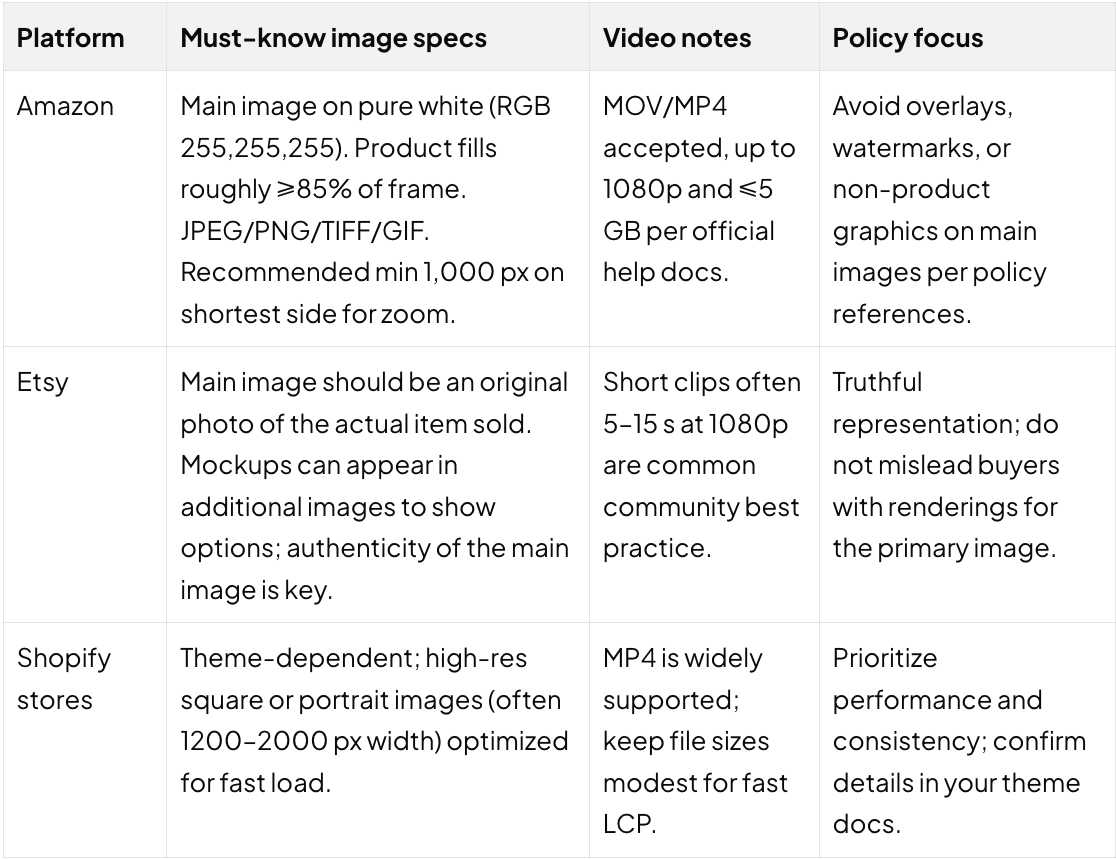
Notes:
- Always confirm the latest requirements in the official help centers linked above. Policies evolve.
- Keep metadata clean. Embed profiles thoughtfully and compress images without introducing artifacts that hurt zoom or texture perception.
AI disclosure checklist
- EU: Transparency obligations for realistic AI‑generated or manipulated content will apply under provisions of the EU AI Act starting in 2026; build labeling into your workflow now. A plain‑language explainer is available in this EU AI labeling overview.
- US and UK: Truth‑in‑advertising rules already apply. If an AI‑assisted image could mislead buyers, disclose and avoid deceptive claims. The FTC advertising and marketing guidance is the right north star.
Conclusion: Master Your E-commerce Visuals
You now have a repeatable, production-grade system for creating box, wrapping paper, and logo mockups that bridge the gap between creative concept and marketplace-compliant assets. For a growing Gifts and Floral operation, speed is your greatest competitive advantage.
By standardizing your packaging mockup workflow, you eliminate the guesswork of color accuracy and structural integrity. Ready to ship your next collection faster? Start your free trial today to build your master scenes and transform your product catalog into a high-conversion visual experience—all within a single working day.
FAQs
Q1: What is the fastest way to create a realistic logo mockup?
Start with a high-quality 3D scene that features natural lighting and shadows. Instead of just "pasting" the image, apply a material finish—such as gold foil, matte UV, or gloss—to add depth. Using a professional logo mockup generator like Mockuplabs can automate the perspective and lighting blend, ensuring a compliant asset in minutes.
Q2: Can I use AI-generated mockups for my Etsy main listing images?
Etsy’s policy prioritizes authenticity; the primary image must be a truthful representation of the item the buyer will receive. While mockups and AI-assisted images are excellent for showing personalization options or lifestyle context in secondary slots, they should be used transparently to avoid misleading buyers.