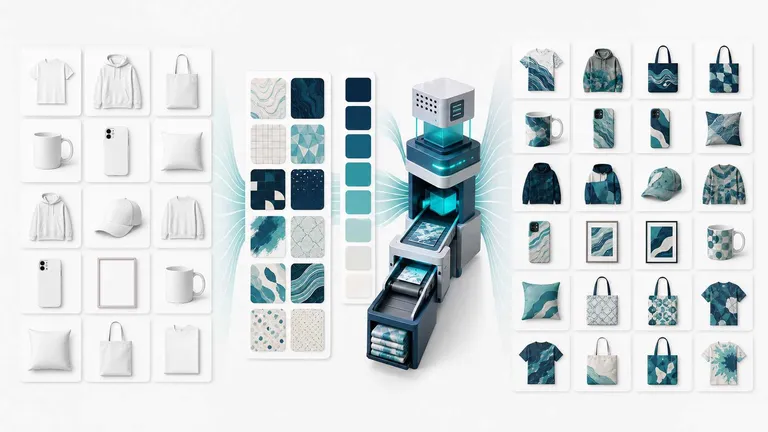
Generative AI can create an impressive product scene from a prompt. Photoshop can refine a hero image down to the pixel. But when the job is to apply approved artwork to hundreds of existing product photos and colorways, neither strength automatically solves the catalog problem.
The real question is not, “Which tool makes the most dramatic single image?” It is, “Which workflow produces the required product-image variations with enough control, consistency, and reviewability to publish?”
For ecommerce teams, the finished product photo matters more than the isolated design asset. Shoppers buy the product they can visualize—not the PNG sitting in a design folder. That makes product identity, material texture, artwork placement, color accuracy, and cross-listing consistency central to the decision.
This guide compares Photoshop, open-ended generative AI, and MockupLabs Batch Mockup & Recolor by the work each one is best suited to do.
The Short Answer: Use the Tool That Matches the Production Job
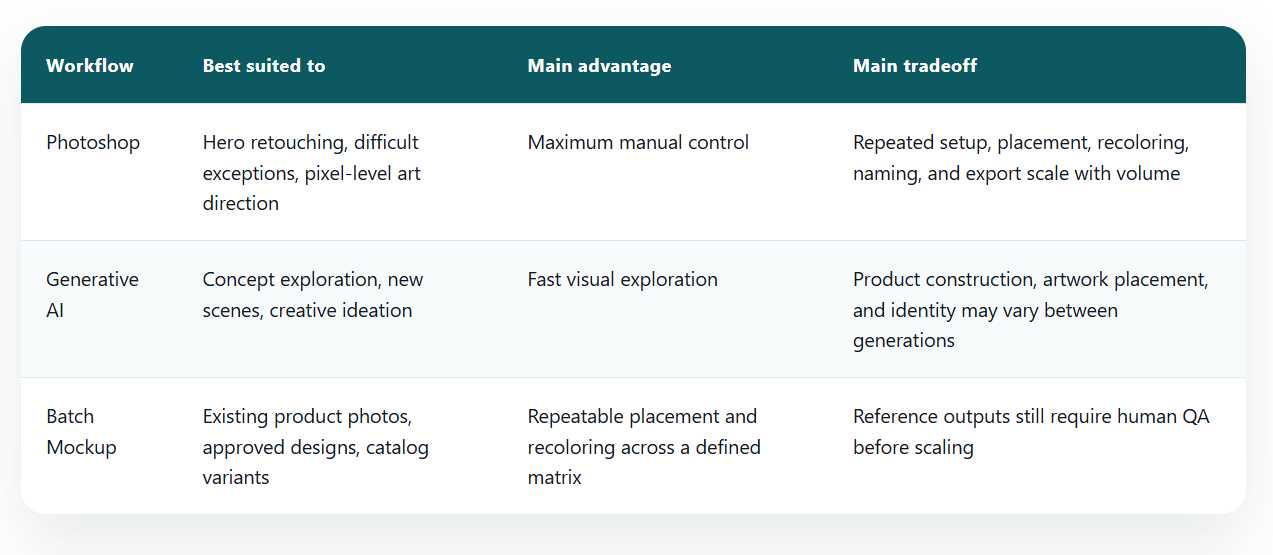
Photoshop is strongest when a skilled operator needs exact, one-off control. Generative AI is strongest when the team needs new concepts, scenes, or visual directions. Batch Mockup is designed for a different stage: turning known product photos, approved designs, and planned colors into repeatable ecommerce image variations.
WorkflowBest suited toMain advantageMain tradeoffPhotoshopHero retouching, difficult exceptions, pixel-level art directionMaximum manual controlRepeated setup, placement, recoloring, naming, and export scale with volumeGenerative AIConcept exploration, new scenes, creative ideationFast visual explorationProduct construction, artwork placement, and identity may vary between generationsBatch MockupExisting product photos, approved designs, catalog variantsRepeatable placement and recoloring across a defined matrixReference outputs still require human QA before scaling
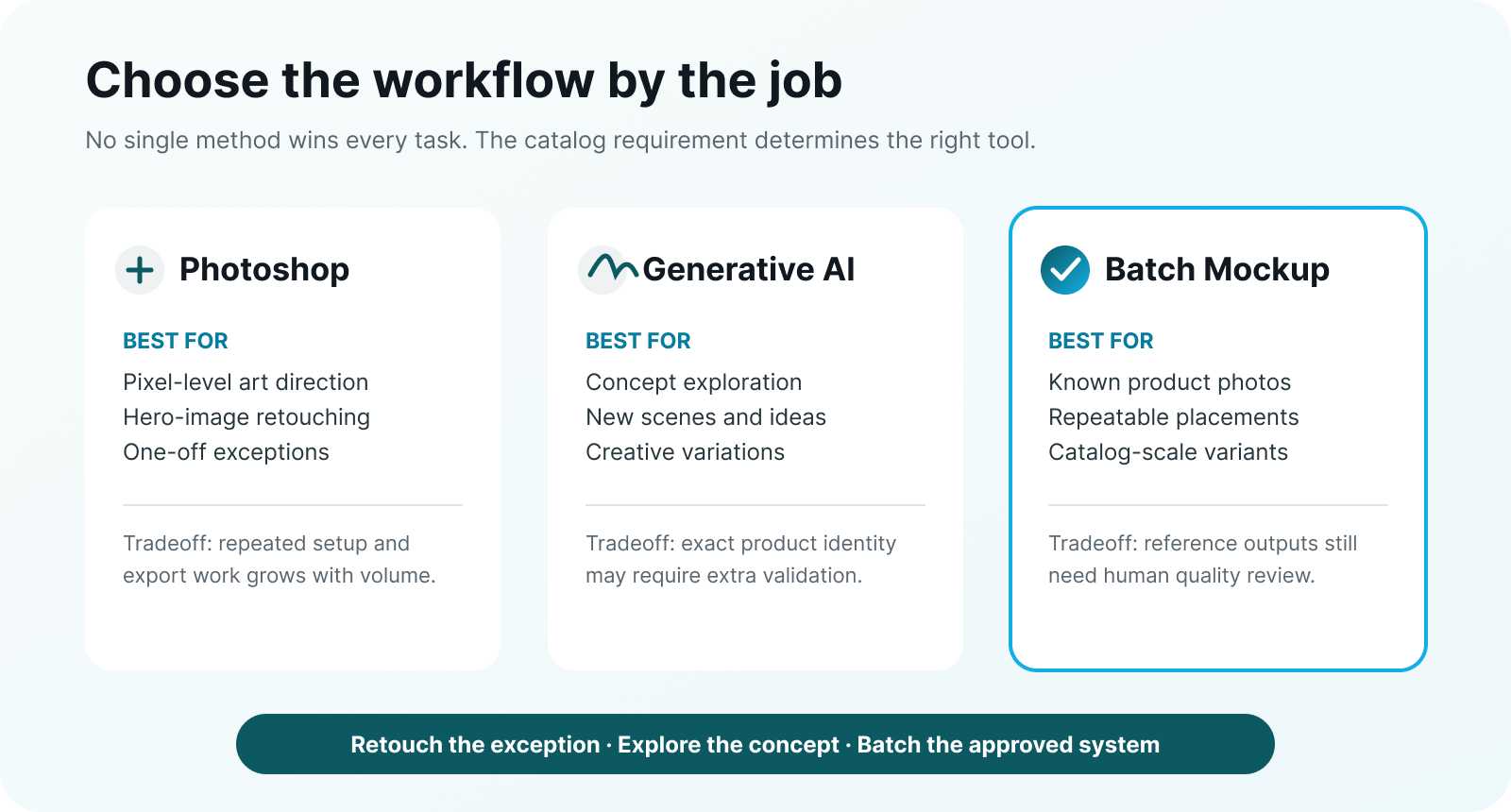
Comparison showing Photoshop for exact retouching, generative AI for concept exploration, and Batch Mockup for repeatable catalog variations.
A hybrid workflow is often more practical than forcing one tool to do every job.
Why Open-Ended Generation Can Be Risky for a Repeatable Catalog
General-purpose image generation is valuable when you need a new creative direction. It can suggest settings, compositions, props, and campaign concepts without requiring a finished photoshoot first.
Catalog production has a stricter requirement: the product should remain the same while only the intended variable changes. If you request the same bag in ten colors, the silhouette, stitching, hardware, handle length, shadows, crop, and artwork placement should not drift from one image to the next.
When a workflow regenerates the whole scene, teams may need to check for subtle changes in:
- Product construction and proportions
- Model identity, pose, hands, and garment folds
- Artwork scale, orientation, and print boundaries
- Logos, labels, seams, zippers, and hardware
- Background, camera angle, lighting, and crop
Those changes may be acceptable during ideation. They create more review and correction work when a consistent product family is the goal.
Batch Mockup starts from product photos you already selected. The photos—not a prompt—anchor the product, model, pose, camera, and brand setting. The editable variables are the design mapping, position, scale, perspective, and product color.
Product Photos First: Keep the Item, Change the Intended Variable
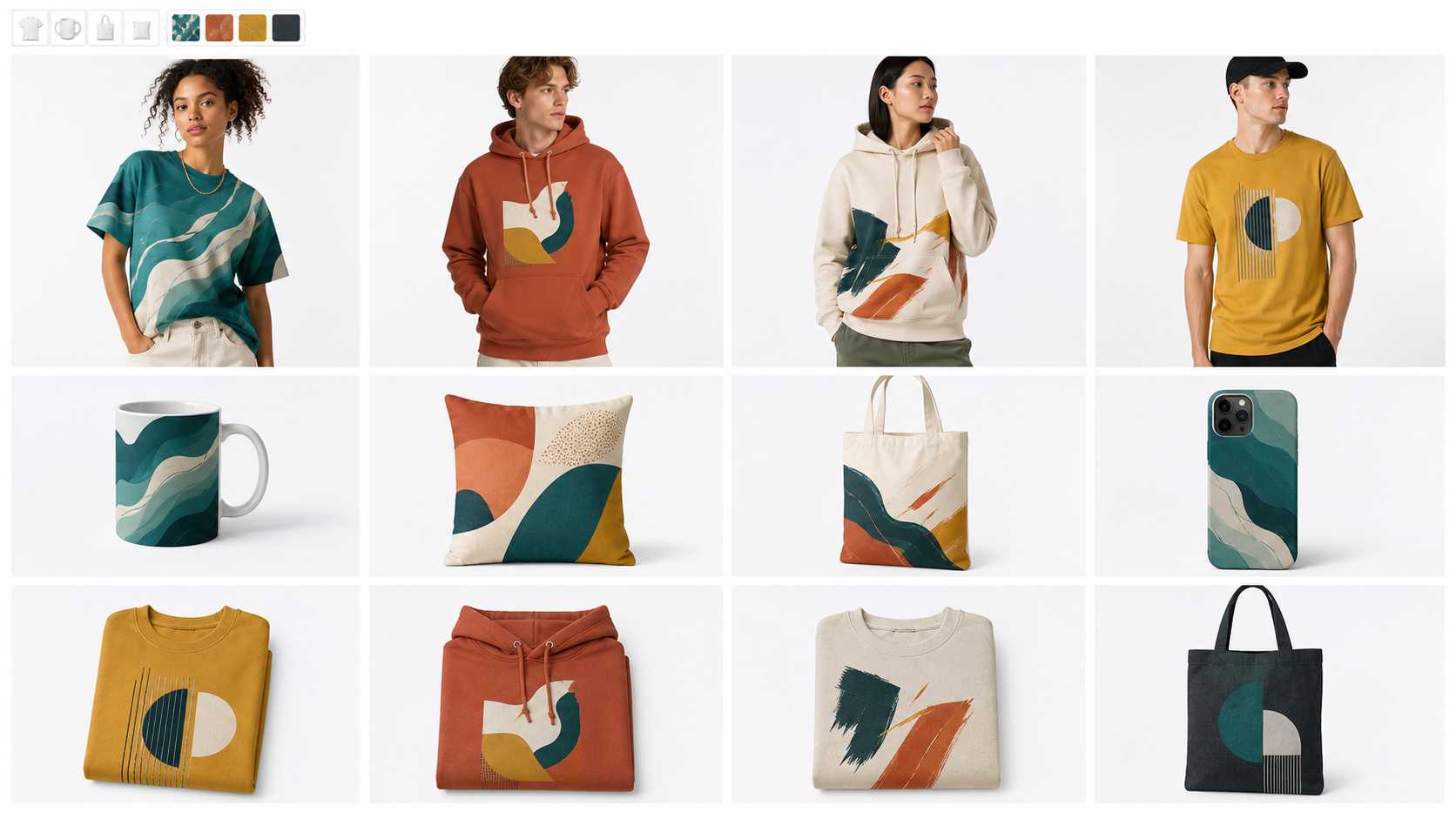
After product photos are uploaded, Batch Mockup converts the selected product areas into editable mockups. You can preview artwork placement, adjust mapping, position, scale, and perspective, and then reuse those photos with additional designs or colorways.
That distinction matters. The objective is not to create a vaguely similar hoodie. It is to keep the approved hoodie photo and change only the planned visual layer.
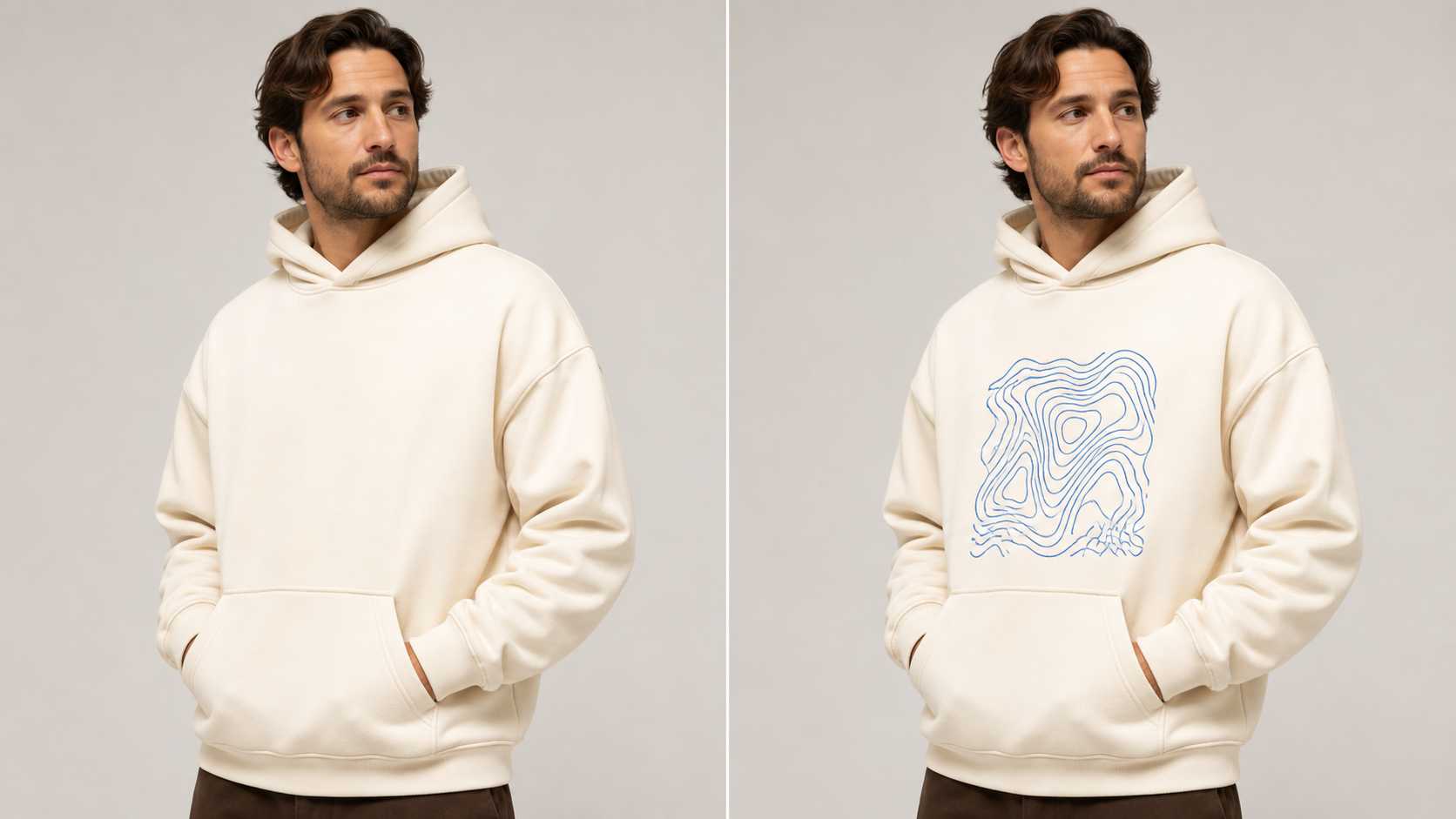
Concept comparison The product photo stays fixed while the artwork is fitted to the garment. Preview and adjust unusual angles before generating the full batch.
For important images, inspect the artwork at full size and at mobile-listing size. Confirm that it follows the product angle, sits inside the intended print area, retains useful shadows and texture, and does not look like a flat sticker.
Recolor the Product Without Rebuilding the Scene
Color variation is another place where consistency matters. A useful recolor should target the selected product area while preserving construction details, canvas or fabric texture, folds, stitching, highlights, shadows, hardware, artwork position, and surrounding light.
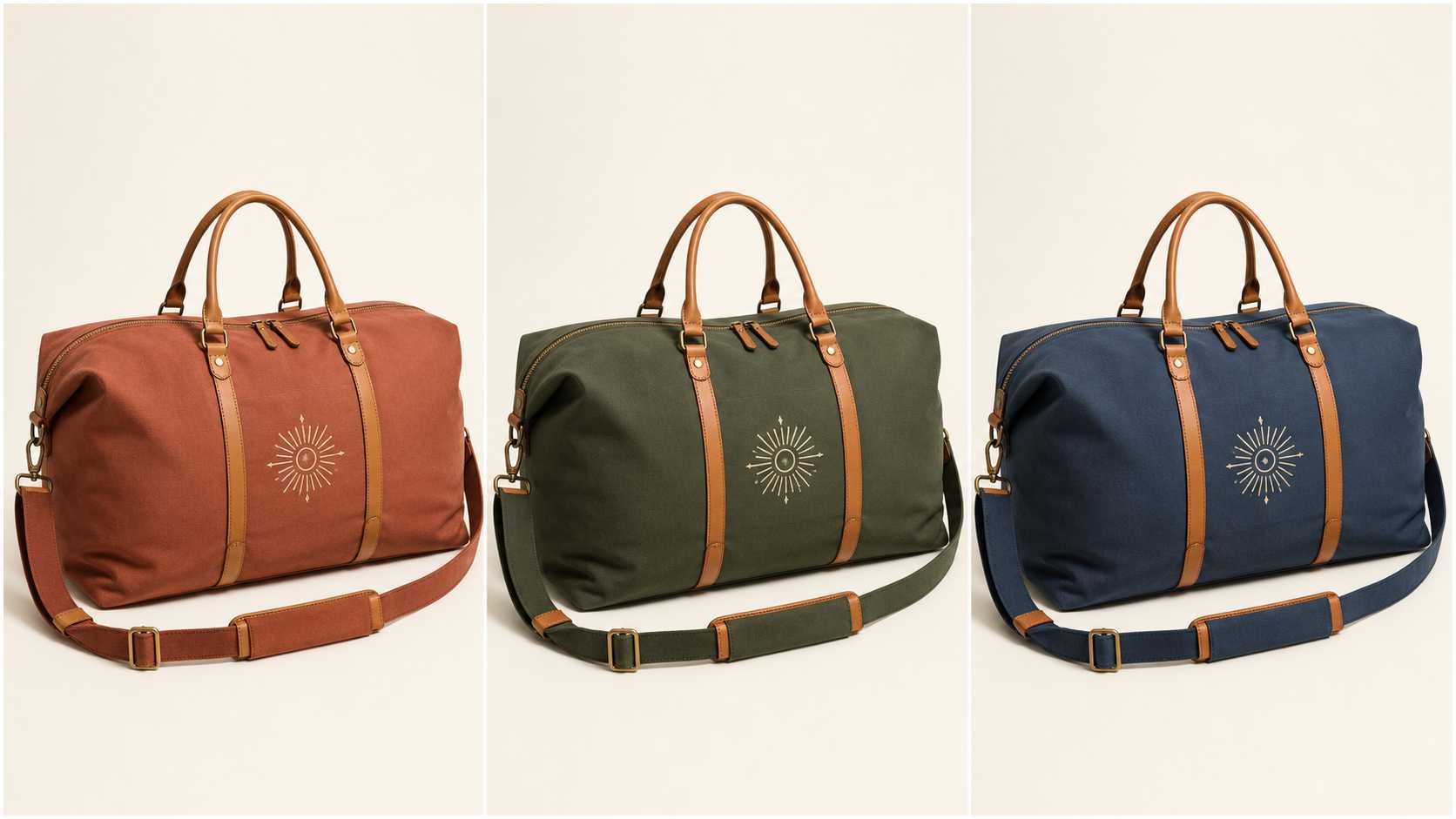
The same canvas weekender bag shown in terracotta, forest green, and dusty navy with identical construction, leather handles, lighting, and sunburst print placement.
Concept comparison Only the planned body color changes; product geometry, material cues, and artwork placement remain aligned.
This gives merchandisers a clearer set of comparable results. It does not remove the need to check whether a requested digital color is commercially appropriate or whether it matches a physical manufactured item. The output is a product-image variation, not a color-proofing or production specification.
AOP Needs Surface-Aware Review, Not Just More Pixels
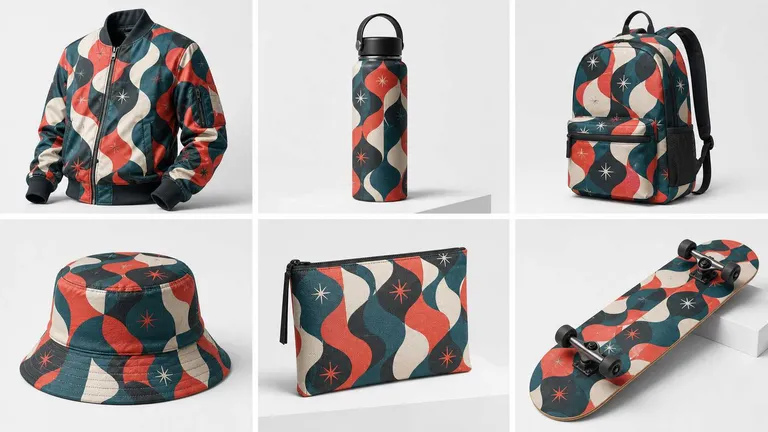
All-over-print images add curves, seams, edges, occlusion, material behavior, and repeat scale to the review. Batch Mockup’s Full Coverage mode can apply a design across the visible selected product area, but the preview should still be assessed as a listing image—not treated as a factory-ready cut-and-sew file.
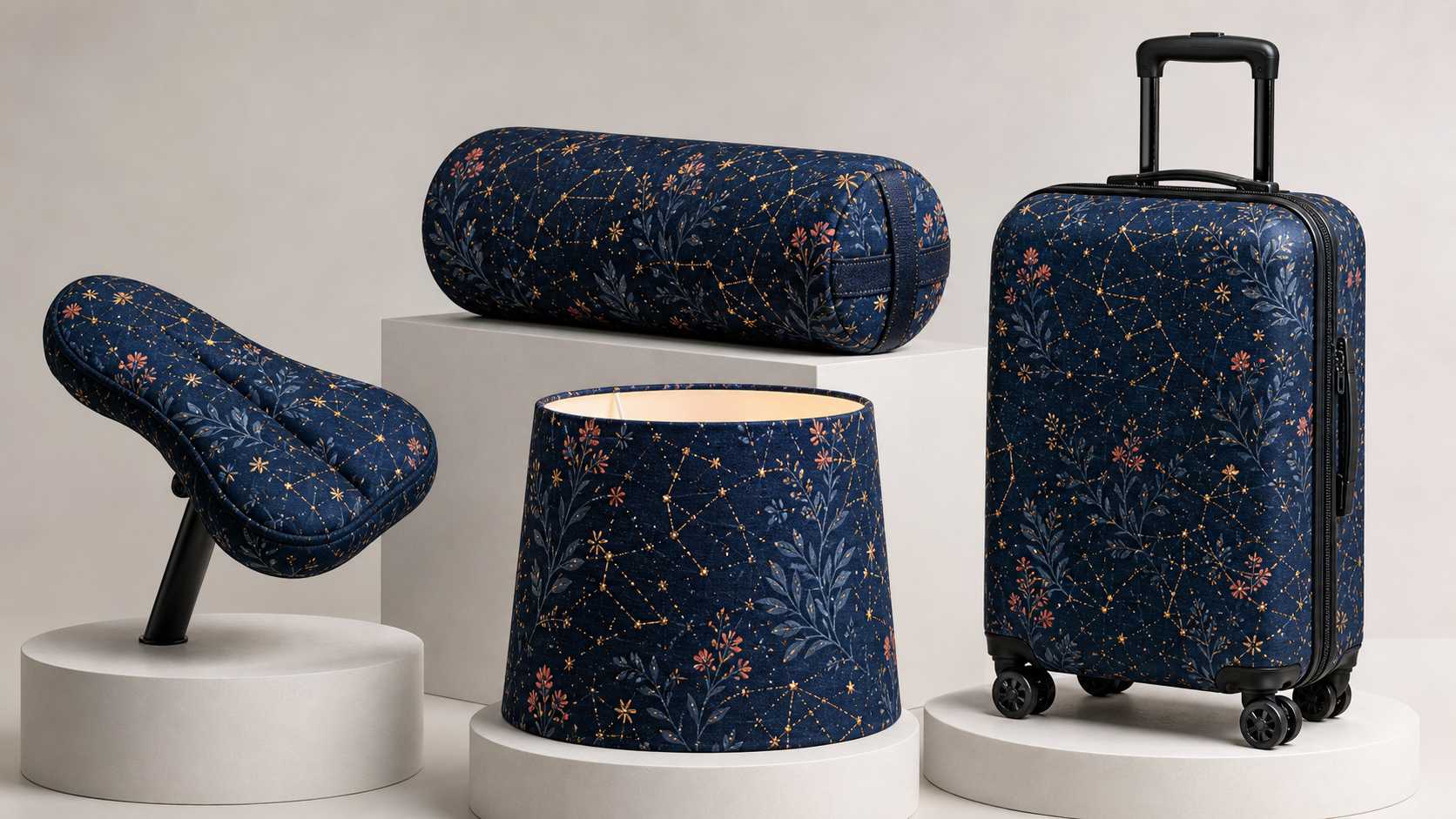
A cohesive botanical constellation pattern applied across a bicycle saddle cover, yoga bolster, lampshade, and hard-shell suitcase.
Concept collection Unusual curved, stitched, textile, and rigid surfaces show why each representative product type should be reviewed before batch expansion.
Check visible repeat scale, edge behavior, perspective, folds, seams, and contrast on every representative surface. Hidden areas, physical seam continuity, bleed, cut lines, and manufacturing tolerances remain part of the production-file workflow.
How Batch Scale Is Calculated
The core matrix is straightforward:
Product Photos × Designs × Colors = Final Product-Image Variations
For example:
300 product photos × 1 design × 10 colors = 3,000 image variations
These are image variations, not automatically created SKUs, inventory records, or live listings. One SKU may use multiple angles, and commerce data still belongs in your store or product information system.
Current workflow limits in the supplied product brief are:
- Desktop PC only
- Free plan: up to 10 product photos per batch
- Paid plan: up to 300 product photos per batch
- Up to 100 designs per batch
- No fixed color-count limit stated in the brief
- Up to 1,000,000 final combinations
Previewing does not consume credits. Final generation consumes credits using the same product-photos × designs × colors formula. This makes the preview stage the right time to reduce the matrix, remove weak combinations, and correct representative outputs.
Can 3,000 Product Images Be Prepared in 10 Minutes?
“3,000 images in about 10 minutes” should be treated as a prepared-asset workflow scenario, not a universal service-level promise. It assumes the product photos, design, intended colors, and mapping decisions are ready, and that review does not uncover exceptions requiring individual correction.
Actual time varies with upload conditions, source-image complexity, the number of adjustments, generation demand, review depth, and export handling. The operational advantage is that the same approved setup can be reused across many combinations; the exact clock time will depend on the batch.
Is Batch Mockup Really 10× More Cost-Efficient?
The “up to 10× more cost-efficient” message comes from an internal equal-output comparison. It is a useful way to frame potential economics, but it is not a guaranteed saving for every store.
Your real cost per publishable image depends on:
- Existing software and labor costs
- The quality and consistency of source photos
- How many outputs pass QA without correction
- The complexity of artwork placement and recoloring
- The number of images that are actually published or tested
Compare workflows using the cost per approved, usable product image—not the sticker price per generated file. A cheap output that requires rebuilding is not operationally cheap.
Use a Reference Batch Before You Spend Credits at Scale
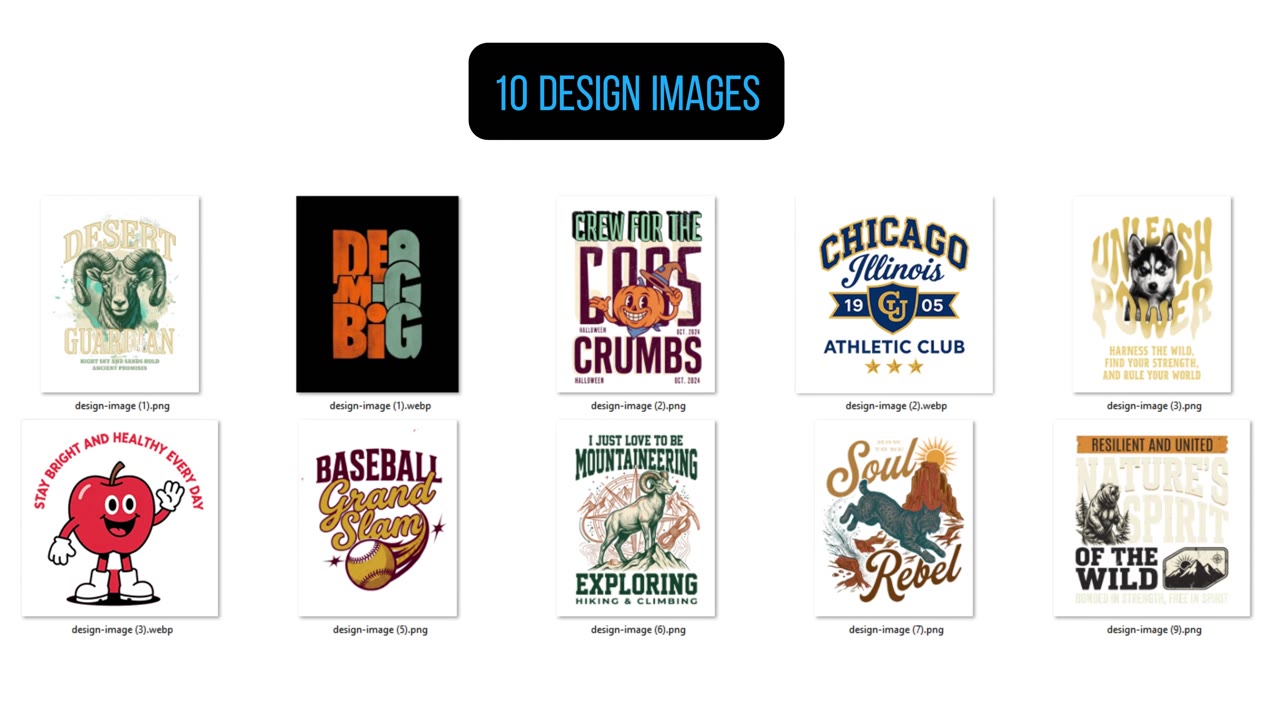
Start small even when the theoretical matrix is large. Choose one design, three to five product photos representing different angles or materials, and two to three planned colors. Preview those combinations, correct mapping and placement, approve a visual standard, and only then expand.
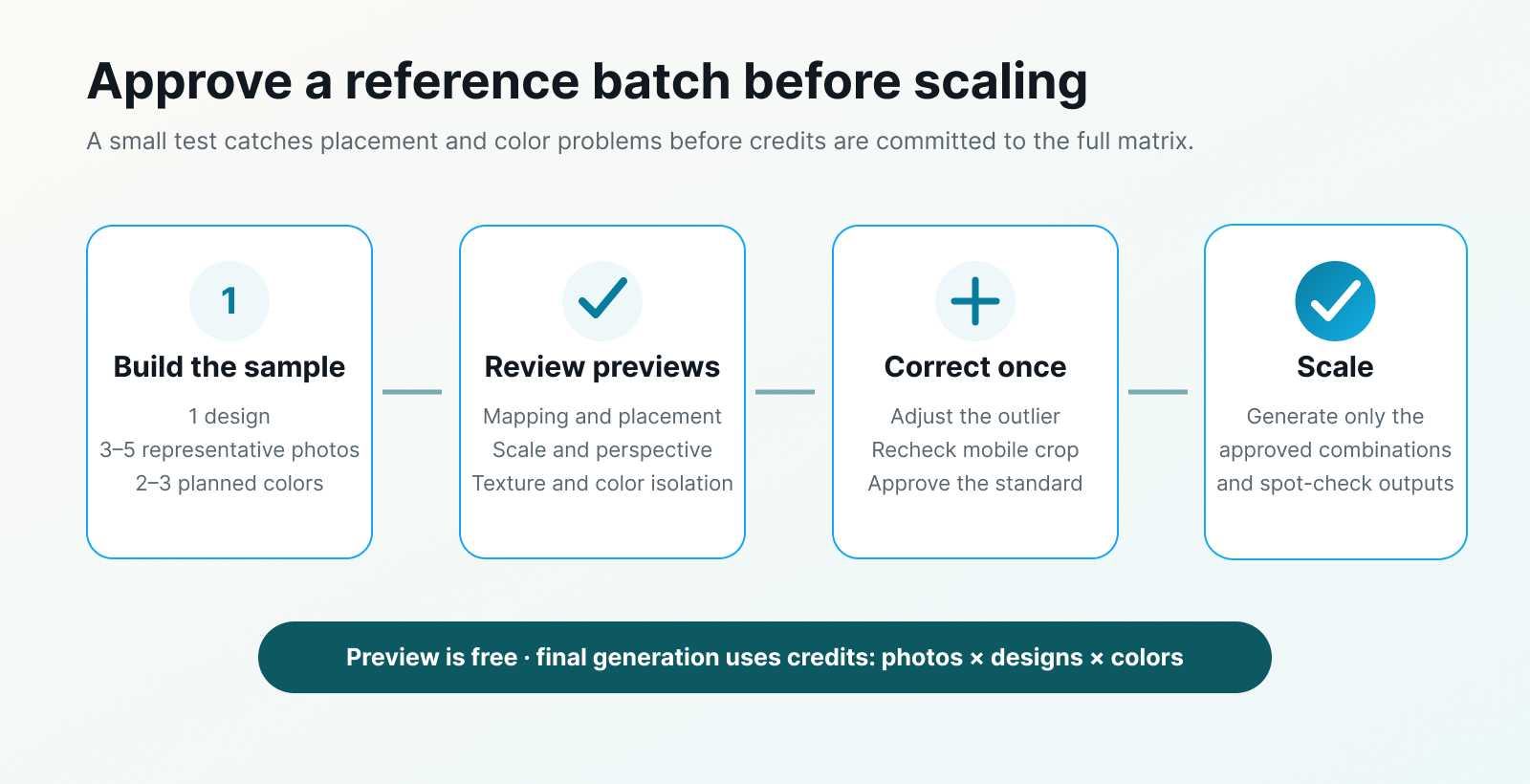
Reference-batch workflow showing one design tested on three to five representative photos and two to three colors before quality review, correction, and scale.
Use the free preview stage for the highest-leverage decisions. Generation begins after representative product types and colors meet the quality bar.
A practical QA sequence is:
- Confirm the selected product area and artwork mapping.
- Check position, scale, rotation, and perspective.
- Inspect folds, texture, highlights, shadows, seams, and edges.
- Verify that recoloring affects the product—not the model, background, artwork, or hardware.
- Check thumbnail clarity and listing crop on mobile.
- Generate the approved combinations and spot-check outliers.
Hero images and unusual surfaces may still deserve Photoshop refinement. Batch production reduces repetitive work; it does not eliminate art direction.
Frequently Asked Questions
Does Batch Mockup replace Photoshop?
Not for every task. Photoshop remains useful for detailed retouching, complex masks, and high-value exceptions. Batch Mockup is better suited to applying an approved design and color system repeatedly across many product photos.
Is Batch Mockup the same as a general AI image generator?
No. General generators are useful for creating new visual concepts. Batch Mockup begins with your product photos and turns selected product areas into editable mockups for controlled design placement and recoloring.
Does the tool create SKUs or publish ecommerce listings?
No. It creates product-image variations. SKU creation, pricing, inventory, listing copy, publishing, and performance measurement remain in your commerce systems.
Does previewing use credits?
No, according to the supplied product brief. Credits are consumed when final images are generated using the product-photos × designs × colors formula.
Can I use Batch Mockup for AOP products?
Yes. Full Coverage mode is live for the visible selected product area. Review representative surfaces carefully, and keep factory production files, seam continuity, bleed, and manufacturing specifications in the appropriate production workflow.
Continue With the Right Production Guide
- Learn how to create realistic POD mockups in bulk.
- See how to generate up to one million POD mockups.
- Follow the dedicated AOP mockup workflow.
- Use store data to scale a winning design across products.
Build the Catalog Around Approved Product Images
Use generative AI to explore. Use Photoshop where pixel-level intervention earns its cost. Use Batch Mockup when the product photos, designs, and colors are known and the team needs a controlled way to multiply them.
The best ecommerce workflow is rarely about choosing one tool forever. It is about moving from concept to approved product image, then scaling that approved system without losing the product details shoppers rely on.
Turn Approved Assets Into Product-First Variations
Upload your product photos, map the design, preview representative colors, and generate only the combinations your catalog needs.