 blog
blogBest T-Shirt Mockup Generator for Apparel Brands & Designers
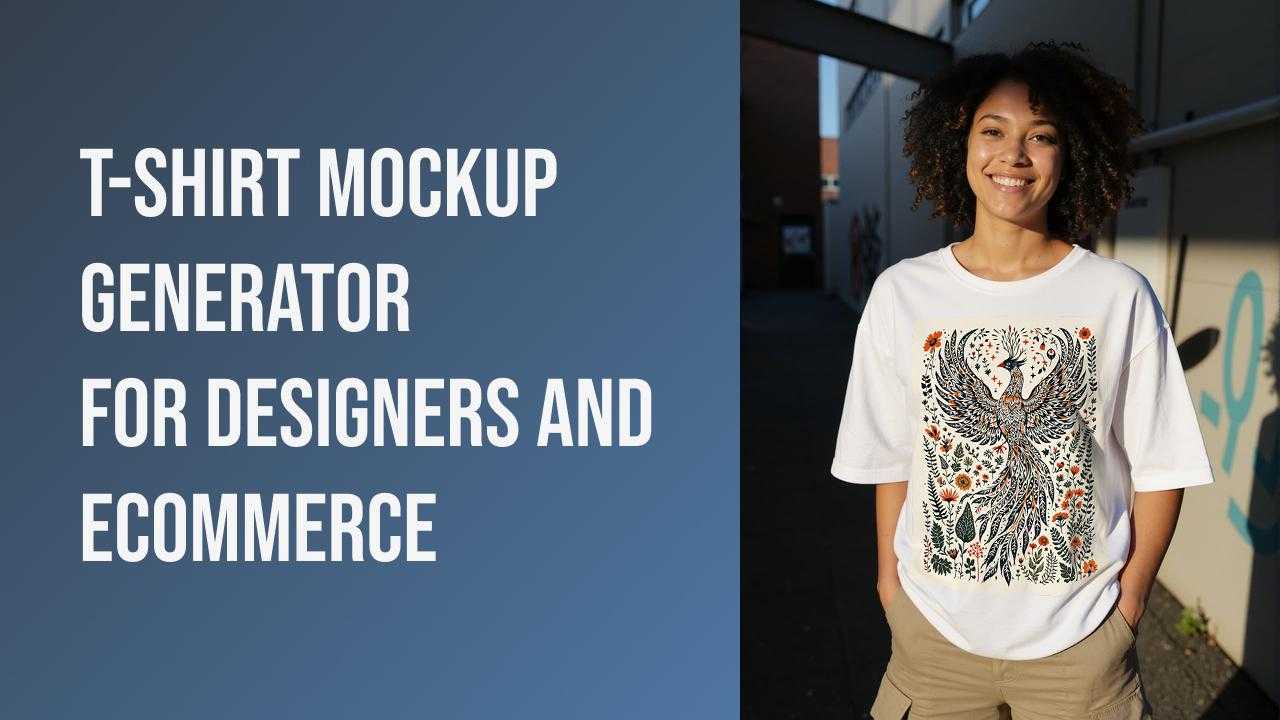
T-shirts are one of the most versatile canvases for design. Whether you’re working on a new apparel line, experimenting with branding, or creating merch for an event, the ability to visualize your artwork realistically on a shirt is incredibly valuable. That’s where t-shirt mockup generators come in — simple tools that make the design-to-reality process much smoother.
Below is a practical guide to what t-shirt mockup generators are, why they matter, and how to use one effectively.
Table of Contents
- What Is a T-Shirt Mockup Generator?
- Why Does a T-Shirt Mockup Generator Matter?
- What Qualities Should a Good T-Shirt Mockup Generator Have?
- How to Use a T-Shirt Mockup Generator?
- Where Should You Use a T-Shirt Mockup?
- Final Thoughts
- Frequently Asked Questions
What Is a T-Shirt Mockup Generator?
A t-shirt mockup generator is an online tool that allows you to place your artwork, text, or logo onto a realistic t-shirt image. Instead of manually editing a blank shirt template in Photoshop or ordering physical samples, you can instantly preview your design on a variety of models, colors, and styles.
Modern mockup generators often include:
- blank t-shirt templates
- model photography
- flat-lay images
- color and lighting adjustments
- high-resolution export
With an intuitive mockup generator, you can generate these visuals in just a few clicks, without needing design software skills or expensive photo shoots.
Pro:If you are new to this technology, you might want to start by exploring what is a mockup to understand its fundamental role in the design lifecycle.
Why Does a T-Shirt Mockup Generator Matter?
Mockups play a major role in modern design and apparel workflows. Here’s why:
1.They help you visualize ideas before production.
A mockup lets you see how your design interacts with real-world variables—fabric folds, drape, and texture—before a single stitch is sewn. By visualizing ideas before production, you can ensure that a graphic which looks great on a flat screen actually works on a moving human form.
2.They save time and cost.
Instead of producing multiple physical samples, you can test dozens of variations digitally. Traditional apparel development required weeks of back-and-forth for physical samples. In today's market, speed is currency. Instead of producing multiple physical samples—which is both expensive and slow—you can test dozens of colorways and garment styles digitally in minutes.
3.They improve decision-making.
Mockups allow you to compare colors, layouts, and shirt styles side-by-side, making it easier to refine your designs based on visual evidence rather than guesswork. In 2026, many brands use these digital previews to run A/B tests on social media, letting their community decide which designs go into production.
4.They enhance client and customer understanding.
Technical sketches or flat PNGs often fail to excite a client or a customer. Mockups communicate ideas with a clarity that raw files cannot—especially for collaborators or customers unfamiliar with design technicalities. They provide a "what you see is what you get" experience that builds professional credibility.
5.They support better marketing and presentation.
Realistic visuals are essential for online stores, social posts, ads, and pitches. They help your product look “real” before it even exists.
6.They support for Sustainable Workflows
By finalizing designs digitally, you significantly reduce the textile waste associated with "trial and error" sampling. In 2026, being a sustainable brand starts with digital-first prototyping, and mockup generators are the primary tool making this "green" workflow possible.
What Qualities Should a Good T-Shirt Mockup Generator Have?
Not all mockup tools are equal. Here are the qualities that make a mockup generator genuinely useful:
1.Ease of Use
The interface should be simple, jargon-free, and beginner-friendly.
2.Realistic Output
The mockups should look natural, with correct shadows, textures, and fabric details.
3.Variety of Templates
Different angles, models, colors, and shirt types give you flexibility.
4.Customization Options
Being able to change shirt colors, edit placement, or adjust background helps match your style.
5.High-Resolution Downloads
For e-commerce or promotional use, the final image needs to be crisp and professional.
6.Ability to Upload Your Own Images
Whether it’s your own t-shirt photo or a custom model shot, uploading your own base image provides even more control.
Mockuplabs.ai is an example of a tool that covers these core needs while allowing both beginners and experienced designers to work quickly.
How to Use a T-Shirt Mockup Generator
While each platform may differ slightly, most t-shirt mockup generators follow a similar workflow. Here's a straightforward example:
1.Upload a Custom Image or Choose a Template
Start by selecting a blank t-shirt photo, model shot, or t-shirt template supplied by the tool. Some tools also let you mock up your own t-shirt photo if you want full control.
2.Drag Your Design Onto the Mockup
Upload your artwork (PNG, JPG) and place it on the shirt.
You can typically scale, rotate, or reposition it as needed.
3.Change Color or Adjust the Scene
Many tools allow you to:
- switch t-shirt colors
- change the background
- adjust lighting
- remove or add shadows
This helps you test variations and find the best presentation for your design.
4.Preview and Download
Once everything looks right, preview the mockup and download it in high resolution.
Your file will be ready for e-commerce listings, social media, or client reviews.
Pro: For those looking for a step-by-step technical walkthrough, our guide on how to make clothing mockups provides a deep dive into the creative process.
Where Should You Use a T-Shirt Mockup?
Mockups are versatile assets you can use across different stages of your design and business process:
• Online Stores: Shopify, Etsy, Amazon Merch, or any POD platform.
• Social Media Marketing: Instagram posts, TikTok, Pinterest, Facebook ads, and product teasers.
• Client or Team Presentations: Mockups help communicate ideas clearly during design reviews.
• Product Testing and Feedback: Show customers or community members multiple variations and gather input before finalizing a design.
• Brand Lookbooks and Portfolios: Mockups enrich your portfolio and show your creative work in context.
• Event Merch or Limited Drops: Preview concepts quickly before deciding what to print.
Mockups aren't just visuals—they’re communication tools that help you make better design decisions and market your products more effectively.
Pro: If you are a handmade or custom creator, follow our strategy on how to do Print-on-Demand on Etsy to maximize your reach.
Final Thoughts
A t-shirt mockup generator is a simple yet powerful tool for anyone working with apparel designs. It bridges the gap between a flat artwork file and a realistic product image, allowing you to explore ideas faster and present them more clearly.
The best mockup generators combine ease of use, realistic output, and customization options—all of which streamline your creative process. Tools like Mockuplabs.ai offer an accessible way to create mockups without photography or advanced software, making it easier than ever to bring your t-shirt ideas to life.
FAQs
Q1: Are mockup images legally safe for commercial use?
Most premium platforms like Mockuplabs.ai provide commercial licenses for their templates. However, always check the Terms of Service, especially regarding the use of recognizable human models in paid advertisements.
Q2: How do I ensure the colors on my screen match the final printed shirt?
Use Pantone color matching within your mockup tool. Keep in mind that screens use RGB (light), while printers use CMYK (ink). Always order a final physical sample before mass production to verify color accuracy.
Q3: Can I use AI-generated art with these generators?
Absolutely. AI art is a perfect match for mockup generators. Ensure your AI-generated image is upscaled to a high resolution before uploading to prevent blurriness.
Q4: Is a T-shirt mockup generator better than using Photoshop?
In 2026, the answer for most brands is yes. While Photoshop offers granular control, it requires significant time and technical skill. A generator like Mockuplabs.ai uses AI-driven physics to automatically detect fabric folds and shadows. This allows you to create a professional, realistic preview in seconds—no PSD files or complex layering required.
Q5: Can I use my own photos as a base for a mockup?
One of the standout features of Mockuplabs.ai is the ability to upload your own product photo. If you have a specific blank or a unique model shot, you can upload it, and the AI will convert it into an editable mockup, allowing you to drag and drop designs onto your own custom assets.